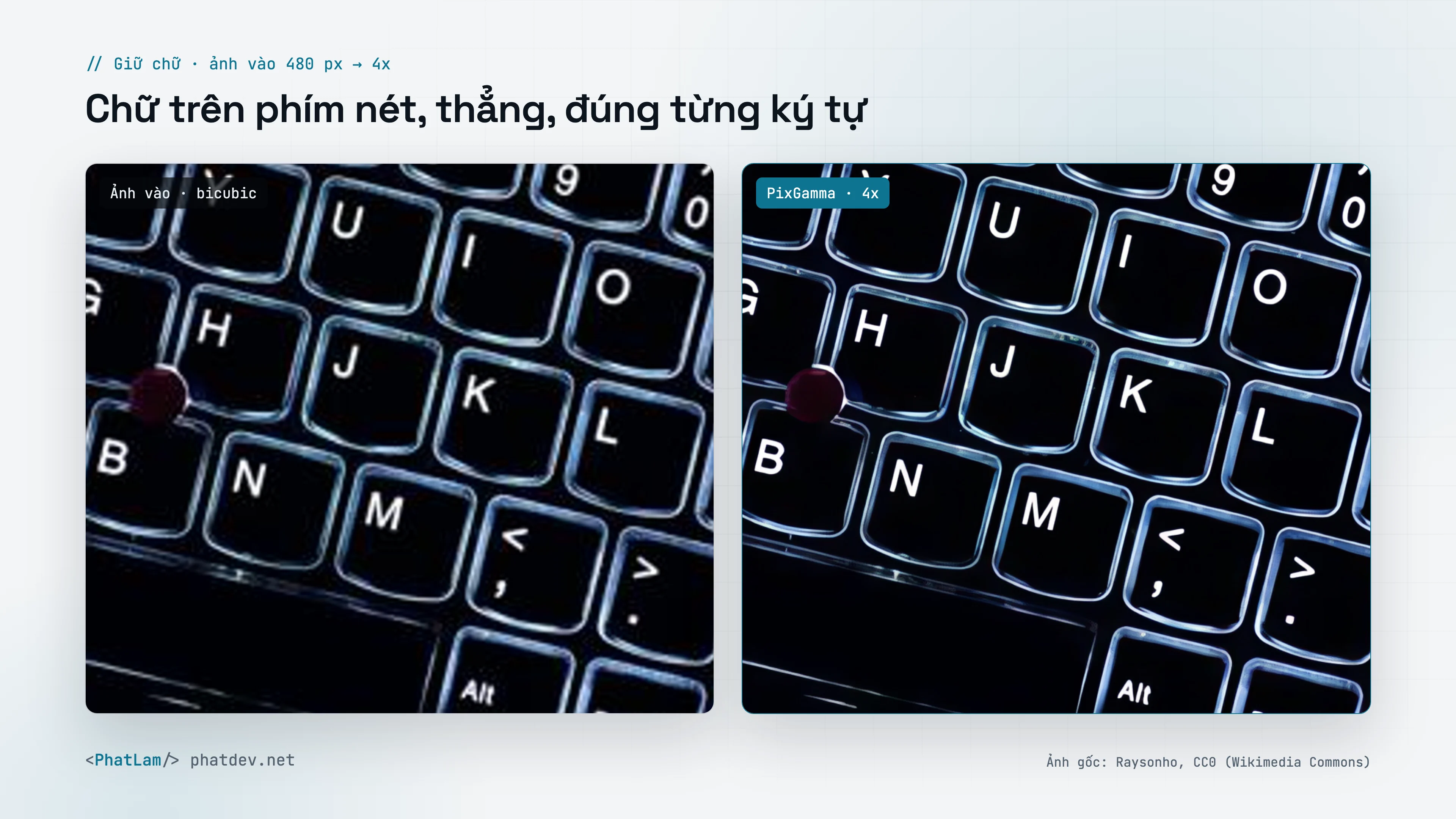
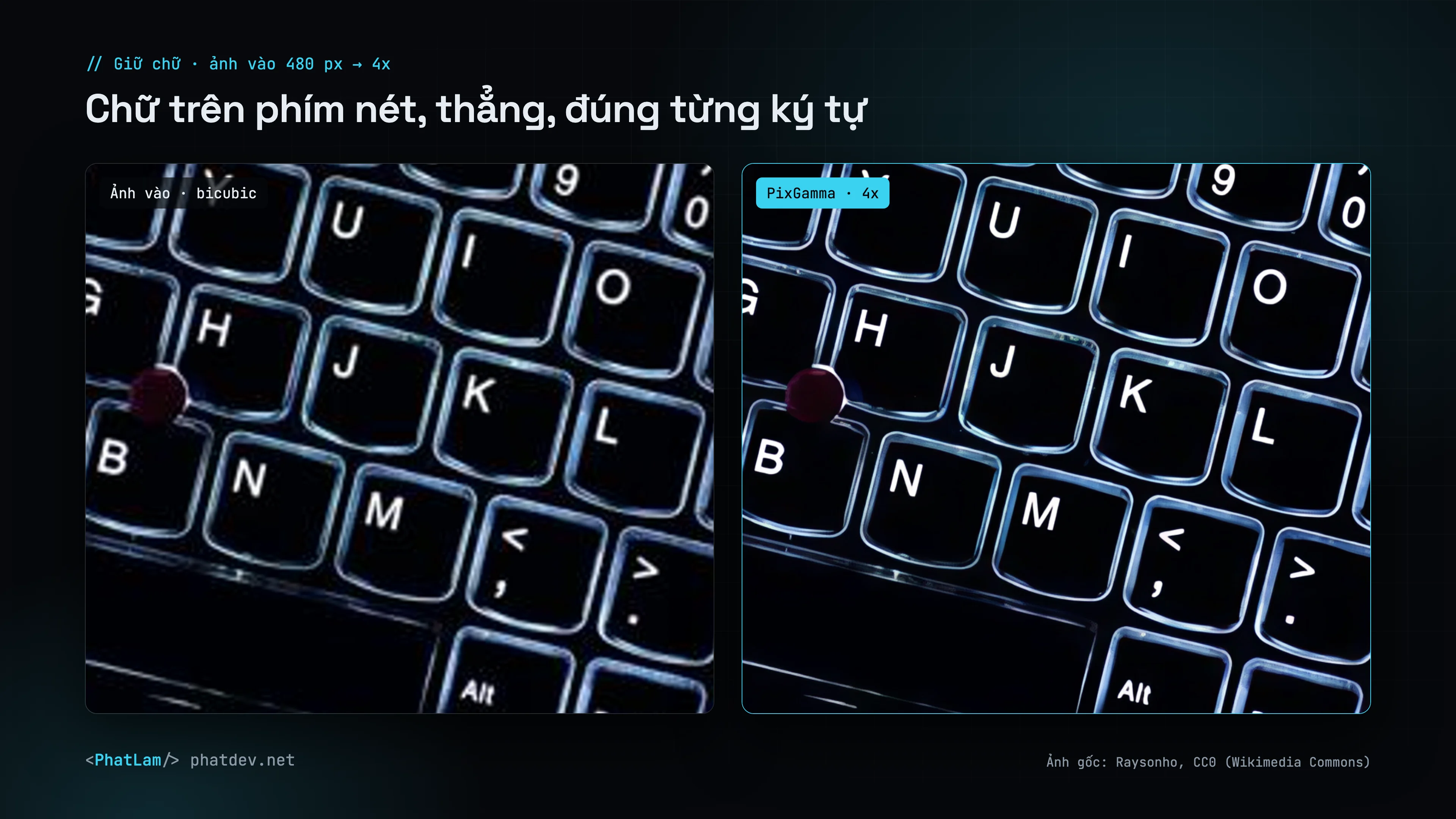
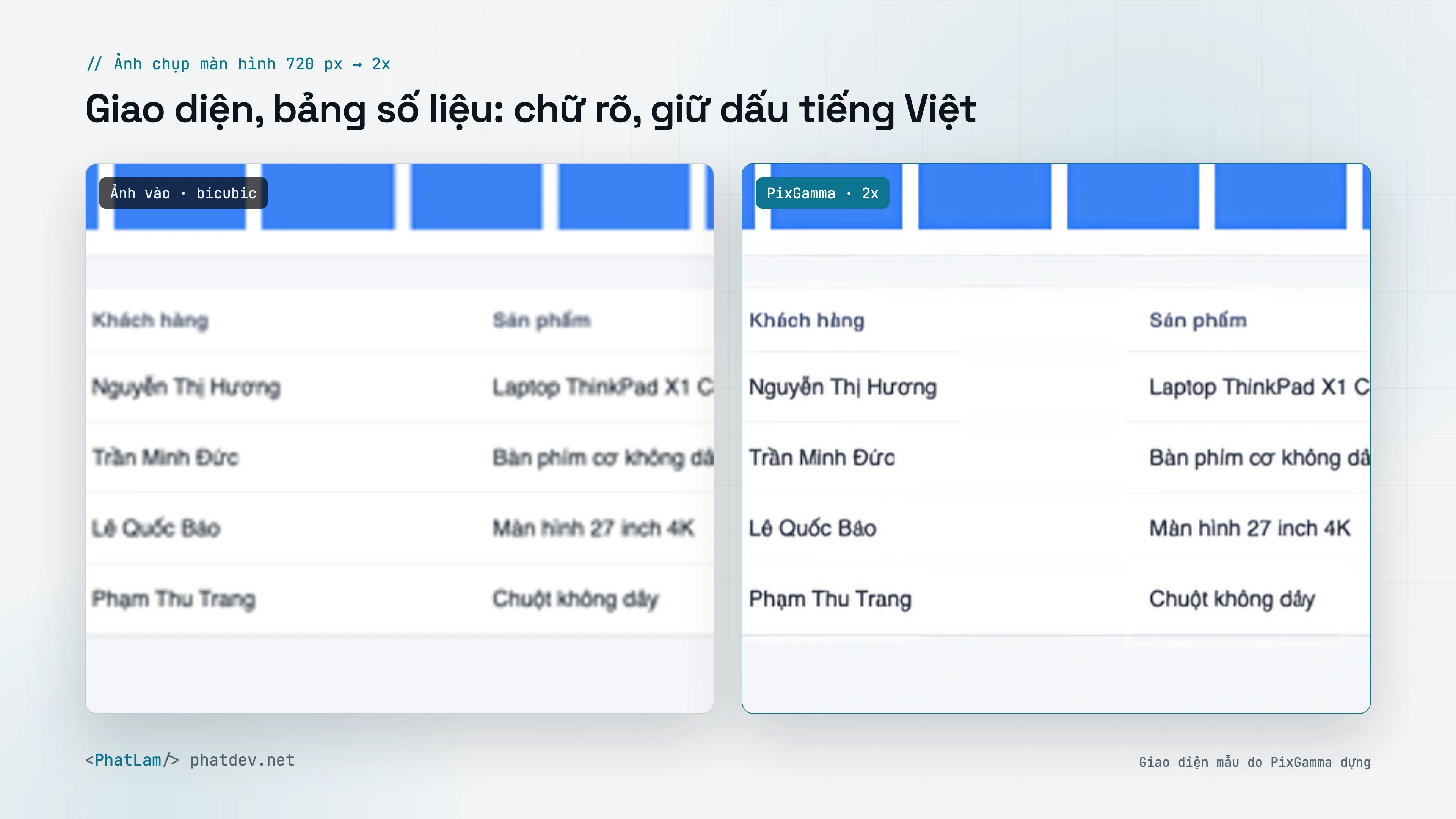
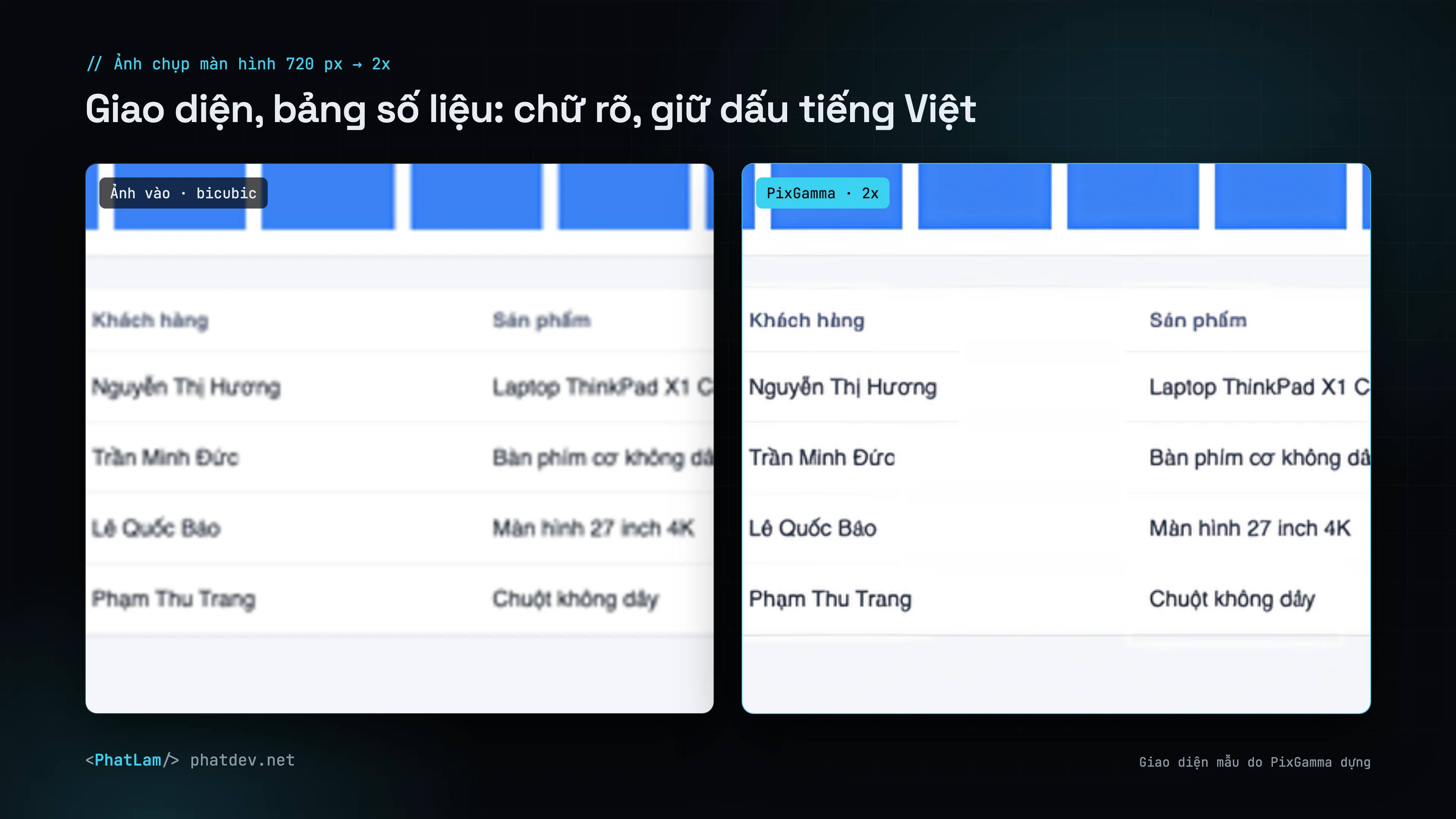
Text is where AI upscalers fail most: strokes bend, small letters become other letters, Vietnamese diacritics disappear. PixGamma handles text in a step of its own.
How it works
- Find text. Apple Vision runs in accurate mode with
vi-VTanden-USon the source, on a 2x enlargement and on the upscaled result, so small keycap letters are caught too. The text read is included in the report (textin JSON). - Complete lines. Vision often stops a few letters early on small lines; regions are extended along the ink to the end of the line.
- Measure size from pixels. Vision's boxes are off by 1–2 px on small text, so PixGamma measures each line's vertical ink spread directly on the pixels.
- Rebuild. Text regions are run again through PixGamma Photo v1 (trained with text tiles), averaged over 2 passes (as is and turned 180°) for straight strokes, and feathered in.
- Keep text color clean. The color-preservation step skips text regions, so letters are not covered again by the source's blur.
Measured results
The eval_text_pipeline.py benchmark renders Vietnamese and English banners in several fonts, shrinks them 4x and runs the full pipeline; each line is cropped and read by OCR on its own (Vision reads a line differently depending on its neighbours, so whole-banner scoring is noisy).
| Text region method | OCR correct | PSNR | Sharpness |
|---|---|---|---|
| No text protection | 90.3% | 29.1 dB | 0.47 |
| Dedicated Text v3 model (0.2.0) | 89.2% | 29.2 dB | 0.58 |
| PixGamma Photo v1, 2 passes (0.2.1) | 91.1% | 30.5 dB | 0.69 |
On a real MacBook keyboard photo shrunk 4x: whole-image PSNR rises from 23.8 to 25.1 dB, and around the Y key from 19.5 to 21.9 dB.
Very small text
At capitals of about 3.6 px in the source, a Vietnamese tone mark is under a pixel. The old model drew crisp but wrong letters, so 0.2.0 faded such lines to a soft resample. PixGamma Photo v1 reads better than the soft resample at that size (76.1% vs 72.3%), so since 0.2.1 the fade only applies with the old text model.
PixGamma also tried re-typesetting tiny text with fonts from Vision's reading, accepted only when it matched the pixels, and dropped it: wrong readings matched the pixels almost as well as right ones.
Known limit: text that Vision cannot find at all (for example body text under about 4 px on a sign in a heavily shrunk photo) is not protected, and every upscaling model can turn it into letter-like shapes. Use 2x instead of 4x, or High Fidelity, for such photos.
Turning it off
In the app, in the adjustments panel; CLI --no-text-protect; API text=0. PIXGAMMA_TEXT_TTA=1|2|4|8 sets the number of flip/rotation passes and PIXGAMMA_TEXT_MODEL forces another model for text regions (benchmarks).