Recover is for badly blurred photos and portraits, where a regular upscaler no longer has enough information. Instead of only sharpening, Recover redraws fine detail (skin, pores, single hairs, fur) on the original layout. The Recover models are a separate download (see Install).
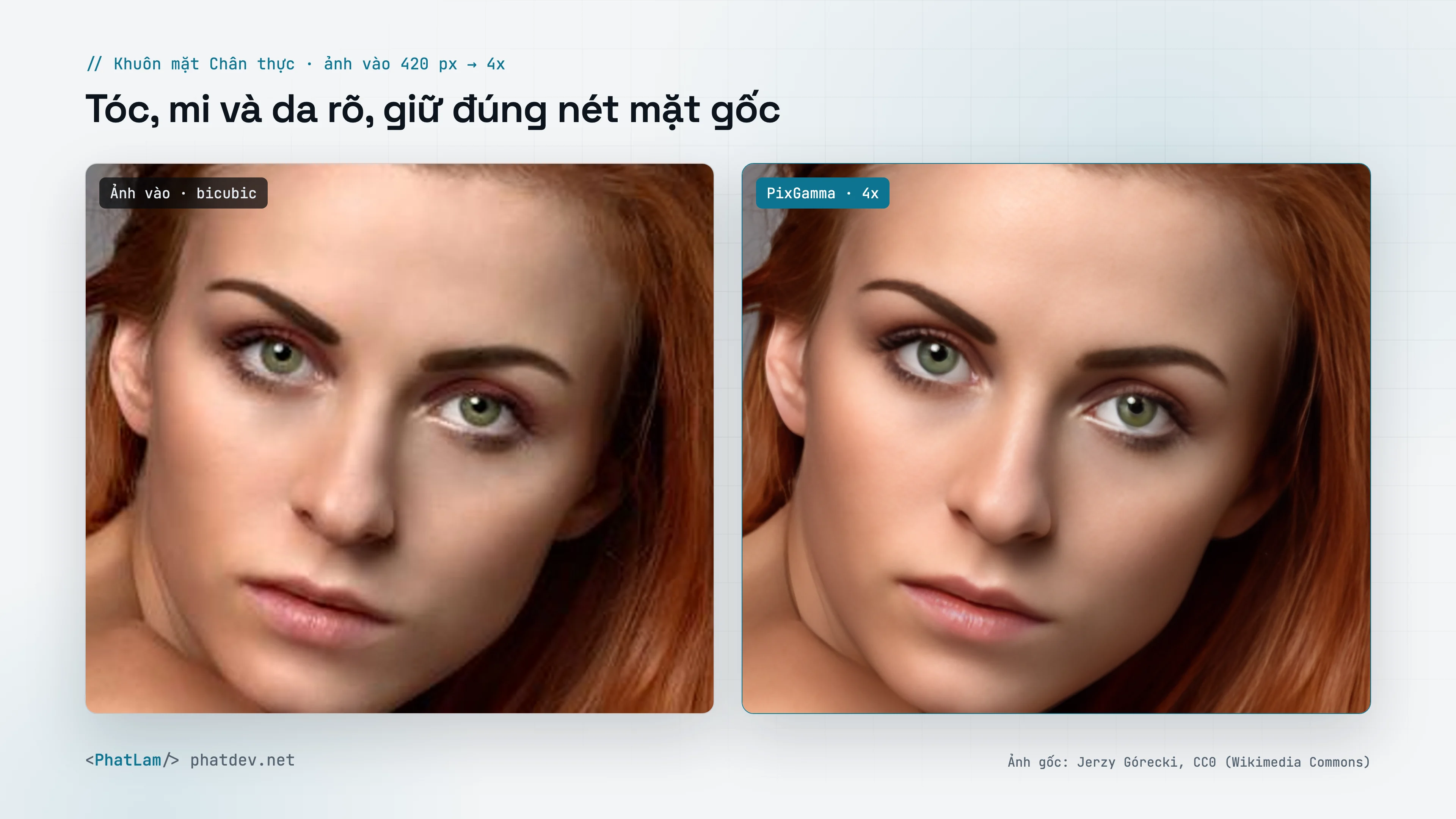
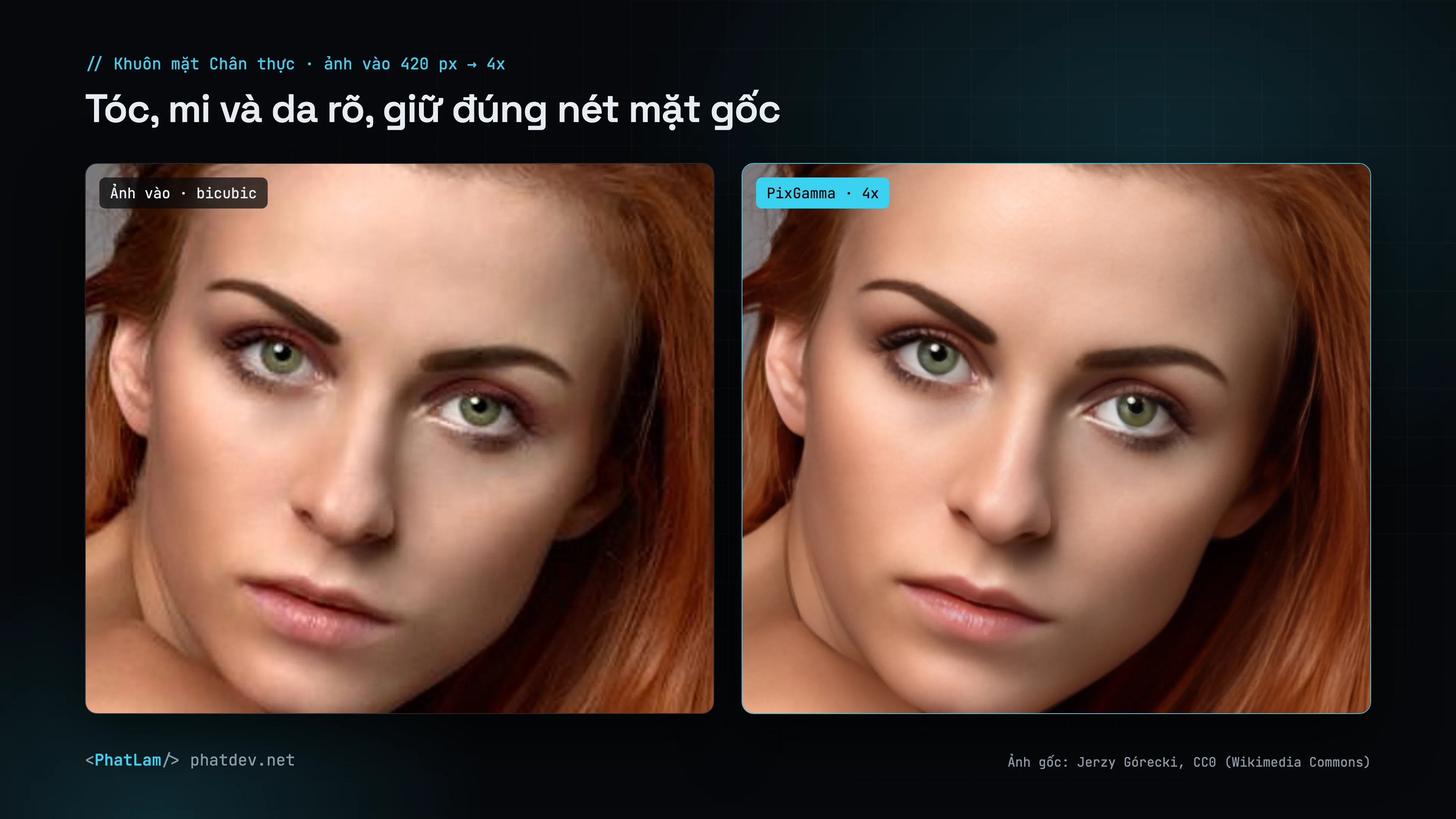
How it works
- Read the photo. Apple Vision describes the photo on the Mac (for example "parrot, detailed feathers") and that becomes the prompt, so feathers are not drawn as fabric. Hair is only asked for when the photo has a face.
- Clean base. The image is upscaled with RealESRNet (faithful, does not bake in JPEG blocks) to the final size.
- Tiled diffusion. Realistic Vision 5.1 (SD 1.5) + ControlNet Tile run through Core ML on the GPU. The image is split into 512 px tiles MultiDiffusion-style: every tile is blended at every denoising step on one shared latent canvas, so no seams appear.
- Own sampler. DPM++ 2M SDE (Karras sigmas) written in Swift: fine detail, no clumping.
- Eyes and brows. Each eye is cropped, enlarged to 512 px and redrawn (iris, lashes, catchlight) with a strict ControlNet that keeps gaze and eye color, then feathered back.
- Regional prompts. Face-skin tiles use a skin prompt (stricter ControlNet, blotches flattened first); other tiles use a hair and fabric prompt. Prompts never mention eyes or faces, so no extra eyes grow on cheeks.
- Text and faces kept. Text regions (found the same way as in other modes) and faces keep the faithful model's pixels.
Two sliders
| Slider | Effect | Default |
|---|---|---|
| Creativity | How much is redrawn (diffusion strength 0.2–0.8) | 75 (0.65) |
| Resemblance | How closely it follows the source (ControlNet 0.5–1.0). Above 70 it also locks structure: shapes larger than a few pixels come from the faithful model, only fine detail from diffusion | By scene: 85 for animals, plants and portraits (fur and hair follow the photo's layout); 40 otherwise |
The app has a switch to set Resemblance by hand.
Safety lock
- Signs, maps, text-heavy photos: creativity 0.3 at most, structure lock always on.
- Product photos: creativity 0.45 at most.
- Text is protected as whole paragraphs, so lines Vision skipped are not rewritten into fake letters.
Memory and speed
- A 1536 px output takes about 35 s on an M2 Ultra.
- Since 0.2.1 each tile's Core ML outputs are freed right away: 1440 px needs 8.5 GB instead of 28.6 GB, and a 3436 × 5194 image finishes with 10.2 GB in 8 minutes.
Usage
- App: choose the Recover card.
- CLI:
pixgamma upscale photo.jpg -m rec --cr 75(resemblance and prompt chosen for you; set them with--rs 85 --prompt "portrait, natural skin") - API:
mode=recover&creativity=75&resemblance=40
The (English) prompt is optional; by default PixGamma describes the photo itself. If you write one, describe materials only.