The pixgamma command shares the app's engine; it suits batch work and scripts. Install it with Cài lệnh pixgamma (CLI).command in the DMG.
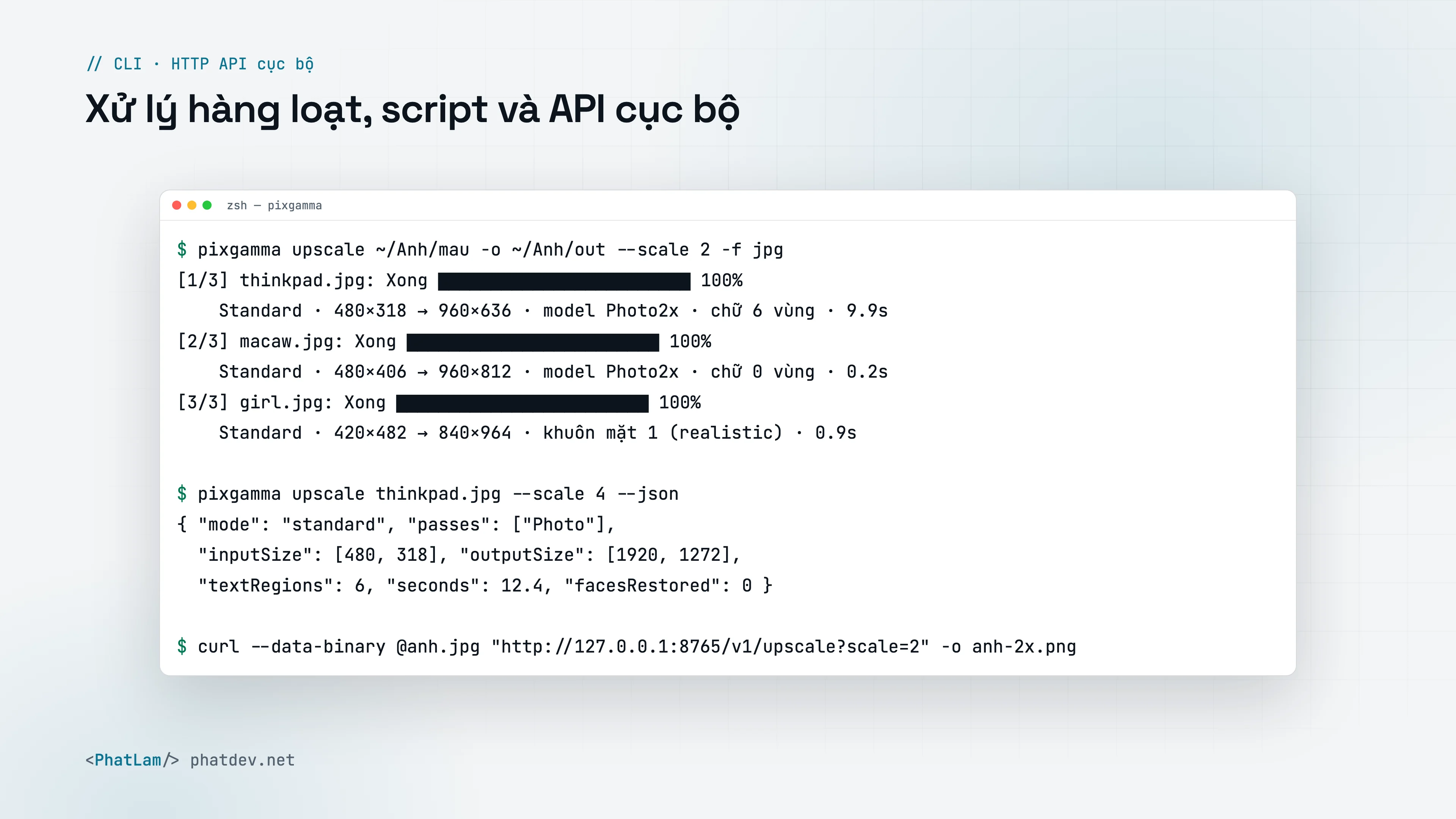
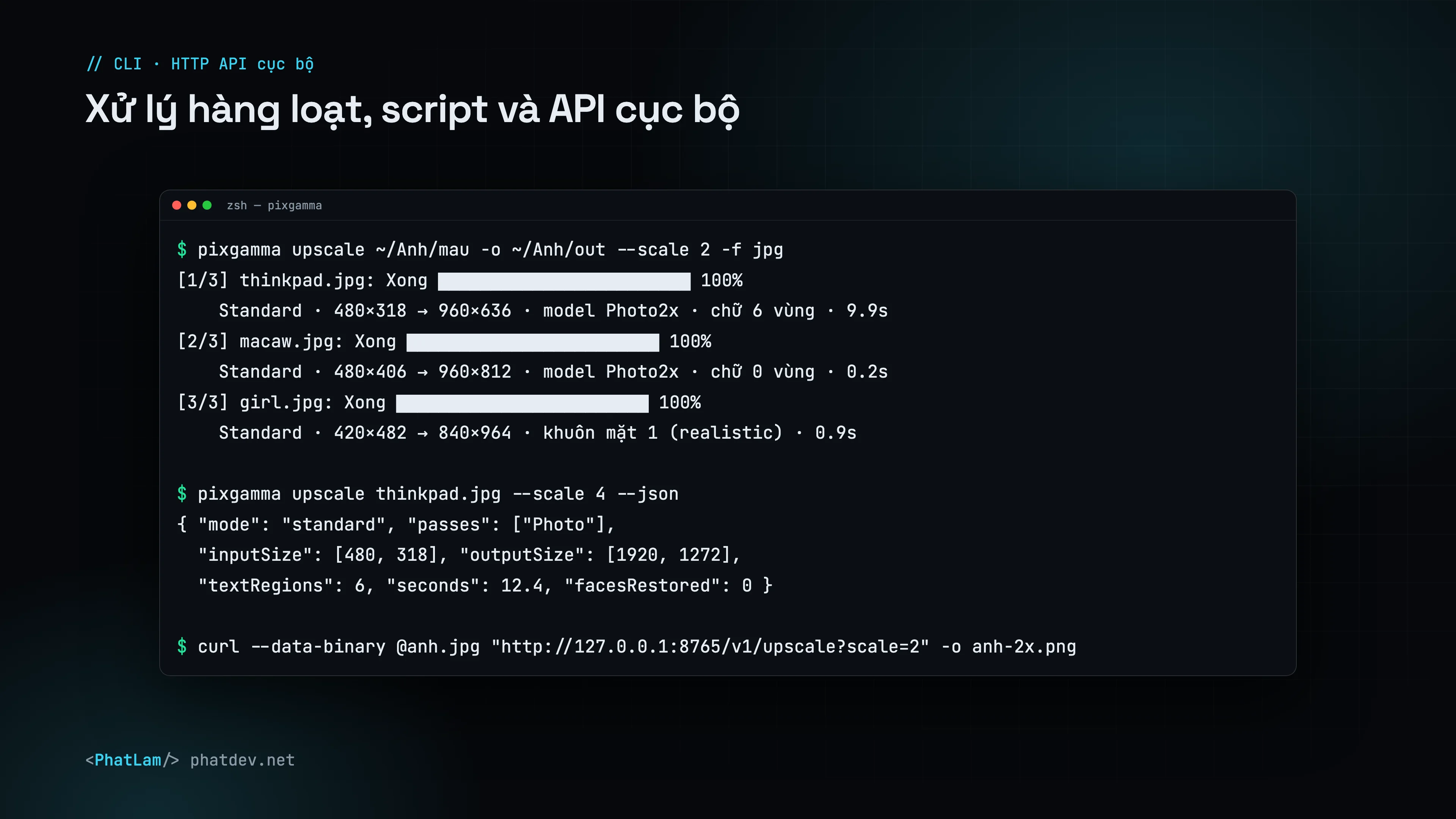
Examples
pixgamma upscale photo.jpg --scale 4
pixgamma upscale ~/Photos/products -r -o ~/Photos/out -m std --scale 2 -f jpg --jq 92 --se
pixgamma upscale portrait.jpg -m rec --cr 75 --rs 40
pixgamma upscale image.png --width 3000 --json
pixgamma upscale flags
| Flag | Meaning |
|---|---|
-m |
auto (default), std, hf, art, low, rec |
--scale, --width, --height |
Output size: factor 1–16 or pixels (aspect kept) |
--dn, --sh, --cm, --dh |
Denoise, sharpen, JPEG cleanup, dehalo (0–100) |
--dt, --tx, --lc |
Detail (High Fidelity), texture grain, local contrast (0–100) |
--fr, --frc, --frf |
Face restoration (0 = off), realistic/creative, identity strength |
--cr, --rs, --prompt |
Recover: Creativity, Resemblance, English prompt |
--no-text-protect, --no-color-fix |
Disable text protection, disable color preservation |
-f, --jq, --res |
Format preserve/png/jpg/tiff/heic, JPEG/HEIC quality, DPI |
-r, -o, --flatten |
Recurse into folders, output folder, do not keep subfolders |
--prefix, --suffix, --am, --se |
File name prefix, suffix, append model name, skip existing |
-d |
gpu (default), all, ane, cpu |
--json, -q |
Print a JSON report, run quietly |
By default output goes next to the source with a -pixgamma suffix; the original is never overwritten.
JSON report
--json prints one entry per image: input and output size, models run (passes), time, text regions, text read, faces restored and Auto's analysis (noise, sharpness, compression, blocking, flat areas).
{
  "inputSize": [480, 360], "outputSize": [1920, 1440],
  "mode": "standard", "passes": ["Photo"], "seconds": 12.6,
  "textRegions": 5, "text": ["MacBook Pro", "delete", "tab", "caps lock"]
}
Other commands
| Command | Does |
|---|---|
pixgamma analyze photo.jpg |
Prints the settings Auto would use |
pixgamma models |
Lists models and file locations |
pixgamma serve |
Starts the local API, see API |
pixgamma update |
Checks for and installs a new version |
pixgamma --version |
Prints the version |