PixGamma upscales and restores photos with AI on the Mac. A small, blurry or heavily compressed image comes back at 2x to 16x with clearer detail, processed entirely on the Apple Silicon GPU. PixGamma ships as a macOS app, a pixgamma command for batch work and a local HTTP API for scripts, websites and other apps.
PixGamma is the new name of Pixora (up to 0.2.1): old installs update to PixGamma on their own, and the
pixoracommand keeps working.
Current version: 0.2.1 (2026-10-20) · macOS 14 or later, Apple Silicon · See the Changelog.
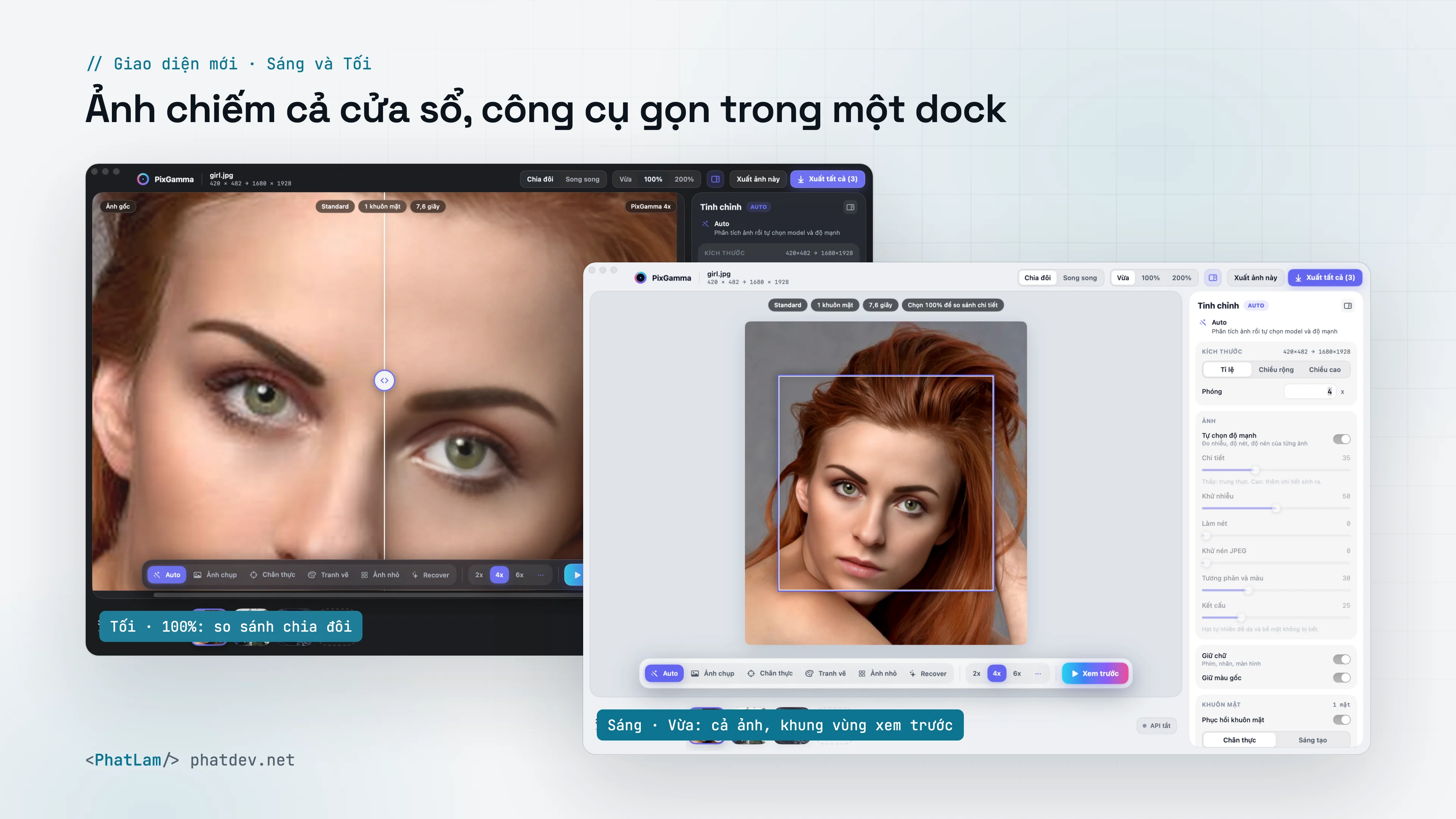
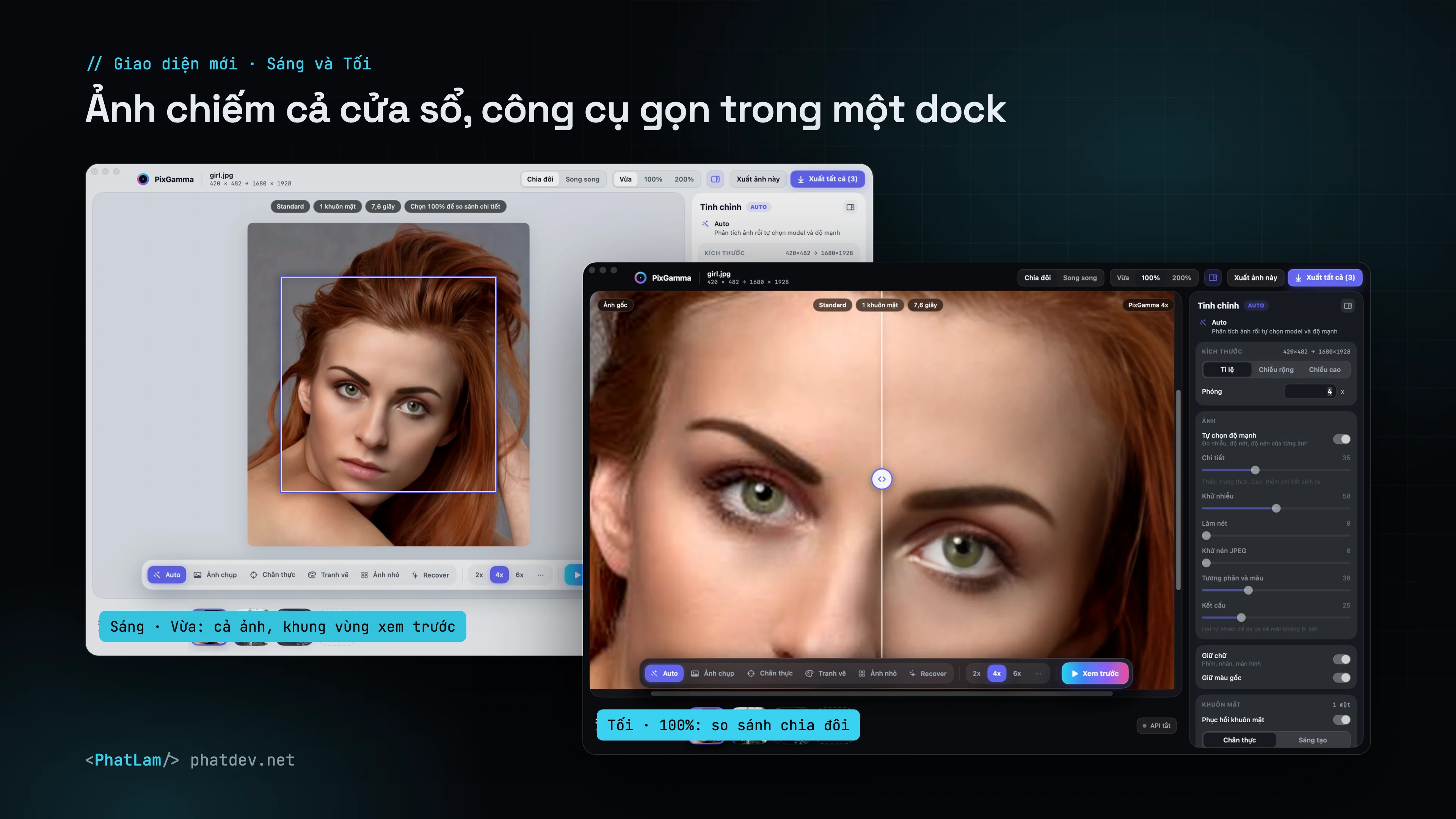
The photo fills the window; a small dock at the bottom picks the mode, scale and Xem trước (preview); the filmstrip sits below and the tuning column on the right collapses. Fit shows the whole photo with the preview area outlined, 100% and 200% compare before/after split or side by side. Light, Dark or follow the system.
What it is for
- Product and e-commerce photos: label, keycap and packaging text stays correct; materials get no invented texture.
- Portraits and old family photos: clearer eyes, hair and skin; old scans get their grain cleaned up with the original tones kept.
- Wildlife, nature, landscapes, architecture: fur, whiskers, feathers and carved detail hold up in large prints.
- Illustration, anime, graphics: clean lines, flat color areas.
- Screenshots and UI: clearer text, Vietnamese diacritics kept.
- Developers: a CLI for whole folders, JSON reports and a local HTTP API.
Three principles
- Photos never leave the Mac. Everything runs through Core ML on the machine. No account, no server, nothing uploaded.
- No invented text. Keycaps, labels and banners are detected separately by Apple Vision (including Vietnamese with full diacritics) and rebuilt with a faithful model. Text too small to rebuild correctly is kept faithful instead of being redrawn as other letters.
- Your photo stays your photo. Original color, tone and facial features are kept. Generated detail always has a strength slider.
What's new
| Version | Highlights |
|---|---|
| New on GitHub (unreleased) | New interface, Light and Dark, export one photo or all · PixGamma Photo v2 is the default photo model: crisper fur, hair and fabric, text regions still use Photo v1 · Recover describes each photo with Apple Vision, picks its own resemblance and has a safety lock for text, maps and products · face restoration no longer colours black-and-white or sepia photos |
| 0.2.1 (Oct 20) | Text regions run through PixGamma Photo v1: keycap letters are sharper and straighter (OCR 91.1%), 3x faster · Recover no longer redraws keycaps and is no longer killed by macOS on large images · checked across every mode, 1x–16x and grayscale, CMYK, transparent, TIFF, WebP and HEIC inputs |
| 0.2.0 (Oct 20) | PixGamma Photo v1, our own photo model (PSNR 30.5 dB vs 29.0 dB for its base, no color drift) · DMG installer · auto-update from GitHub with SHA-256 checks · dedicated text model, Vietnamese text recognition · halo removal · diffusion-based Recover mode |
| 0.1.0 (Oct 18) | Three-pane SwiftUI app, five Core ML modes, face restoration, CLI and local API |
Documentation
Getting started
- Install & auto-update: DMG, CLI, Recover models, update token, requirements.
Features
- AI modes: Auto, Standard, High Fidelity, Art & CGI, Low Resolution, adjustments.
- Text protection: how PixGamma finds, measures and rebuilds text, Vietnamese included.
- Recover: skin, hair and fur regenerated with diffusion.
- Own models & training: PixGamma Photo, benchmarks, how models are chosen.
Integration
- The pixgamma command: batch processing, every flag.
- Local API:
pixgamma serve, endpoints, parameters.
Reference