PixGamma has six modes. Auto measures the photo and picks the model and strengths; the others are there to choose by hand.
Modes
| Mode | Model | Use for |
|---|---|---|
| Auto | Chosen for you | Default. Measures noise (Immerkær), sharpness (Laplacian variance), JPEG blocking, flat areas and faces, and recognizes artwork |
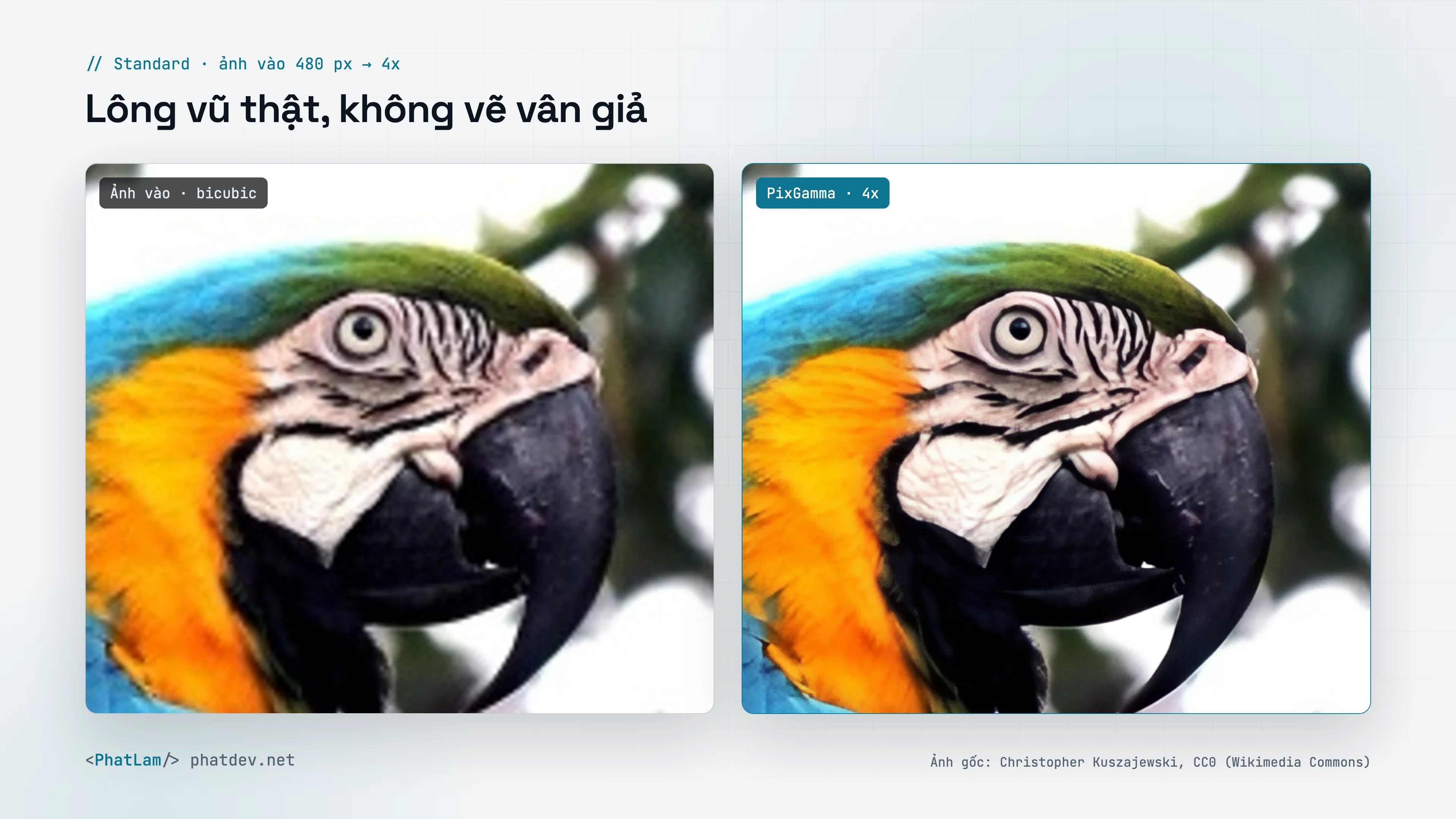
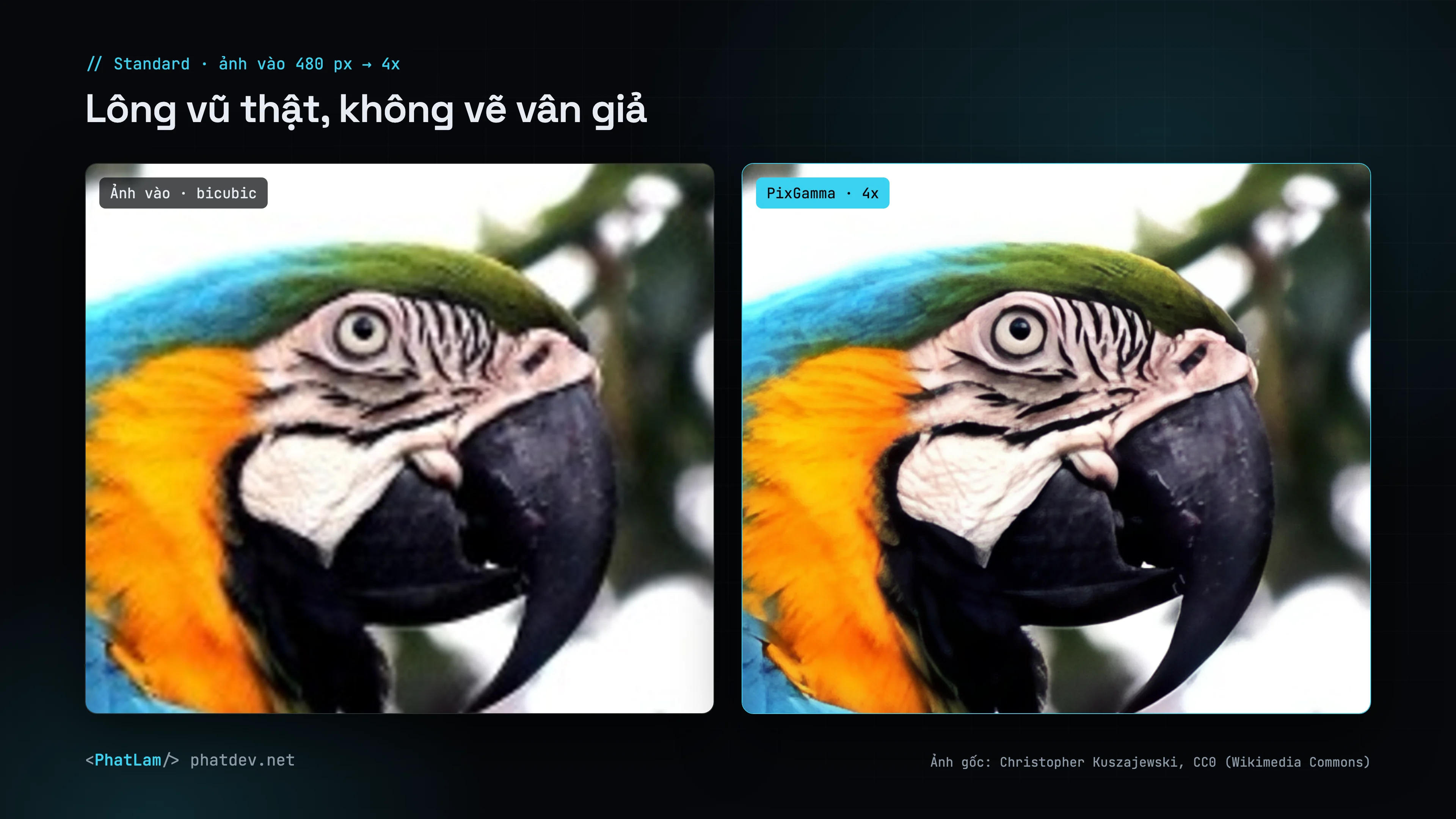
| Standard | PixGamma Photo v2 (4x), SPAN (2x) | Everyday photos: products, landscapes, animals. True materials, no invented texture |
| High Fidelity | RealESRNet | Strict faithfulness; the Detail slider blends in detail from Standard |
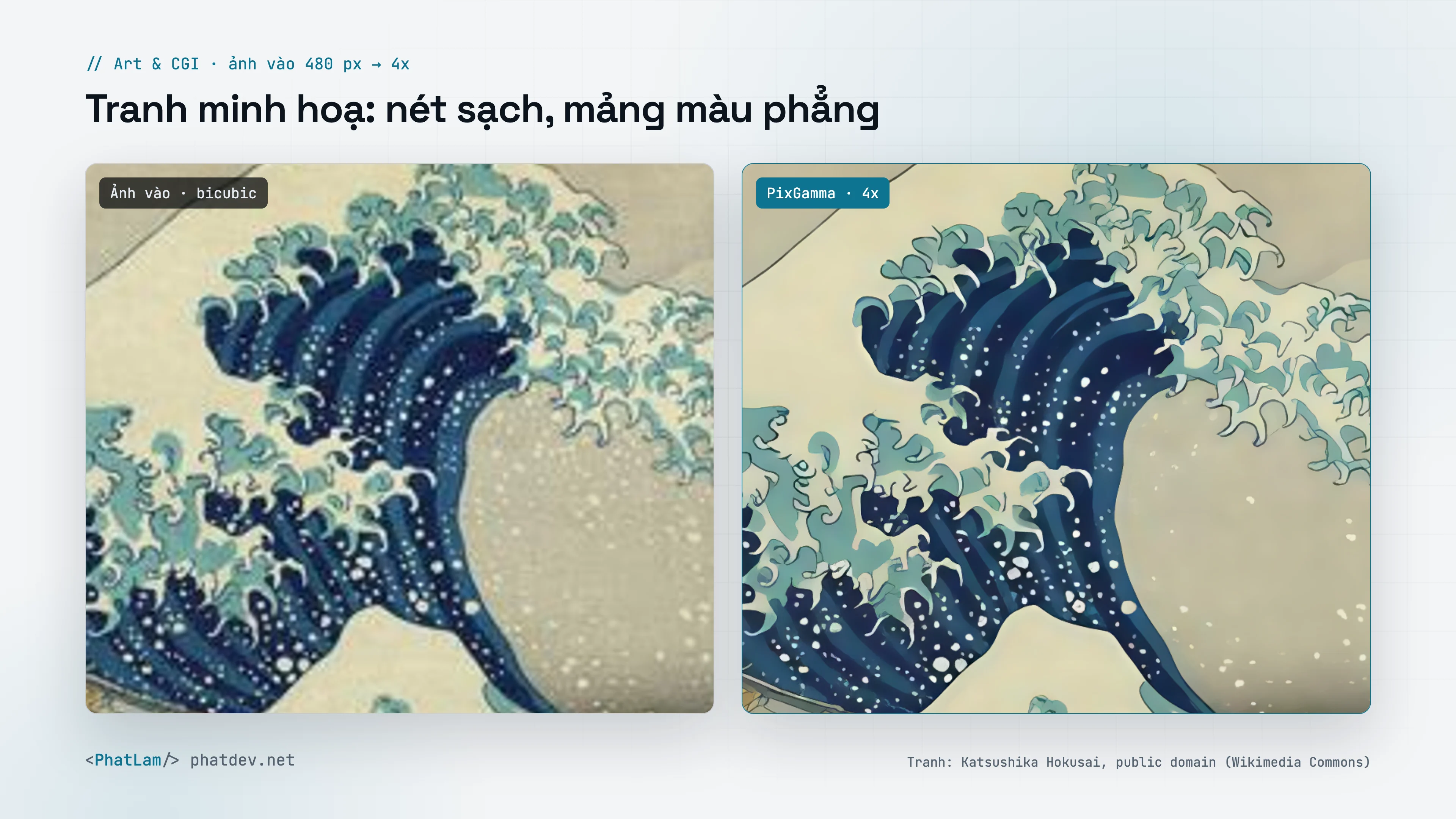
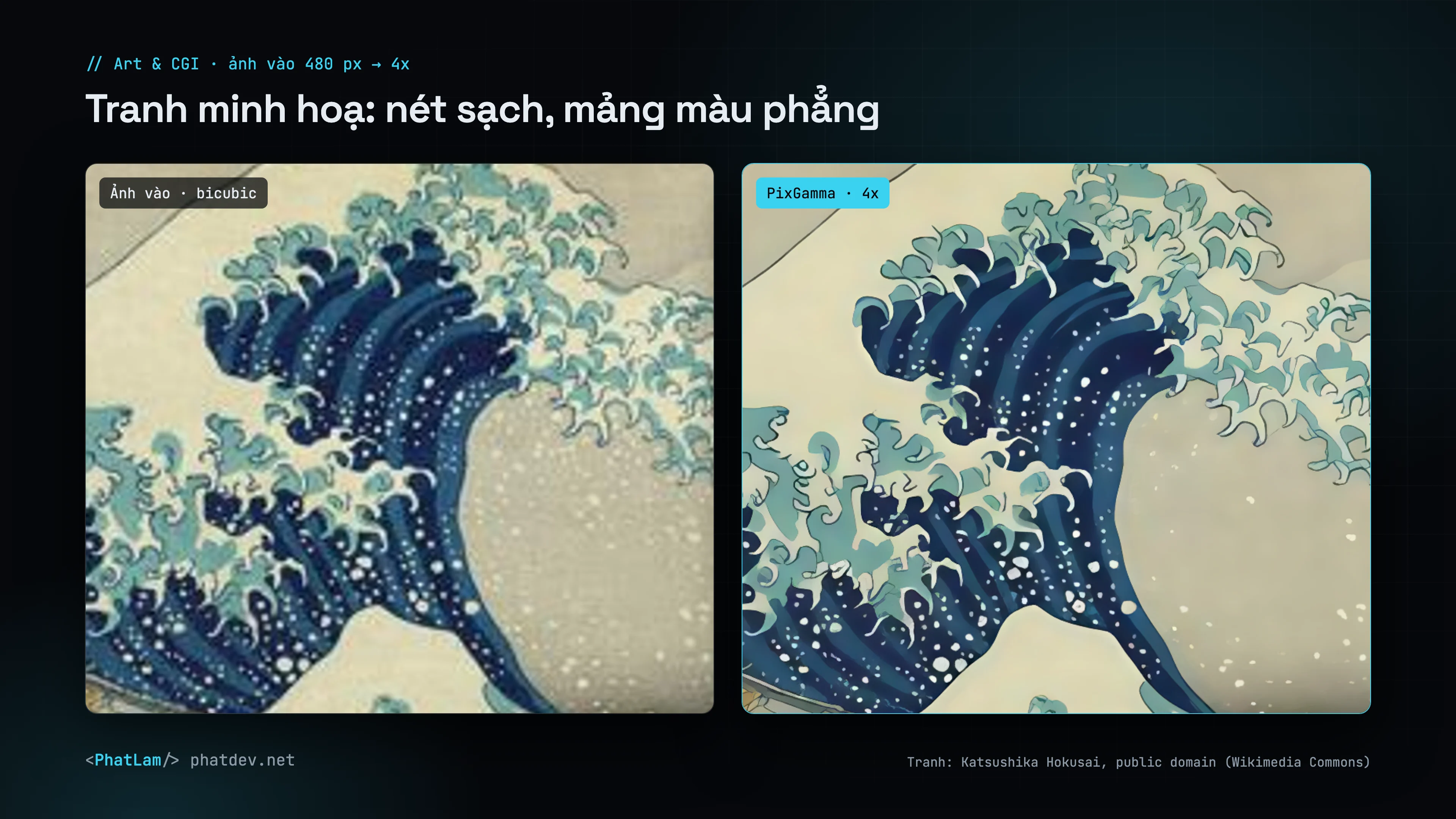
| Art & CGI | Real-ESRGAN anime | Paintings, anime, graphics, renders |
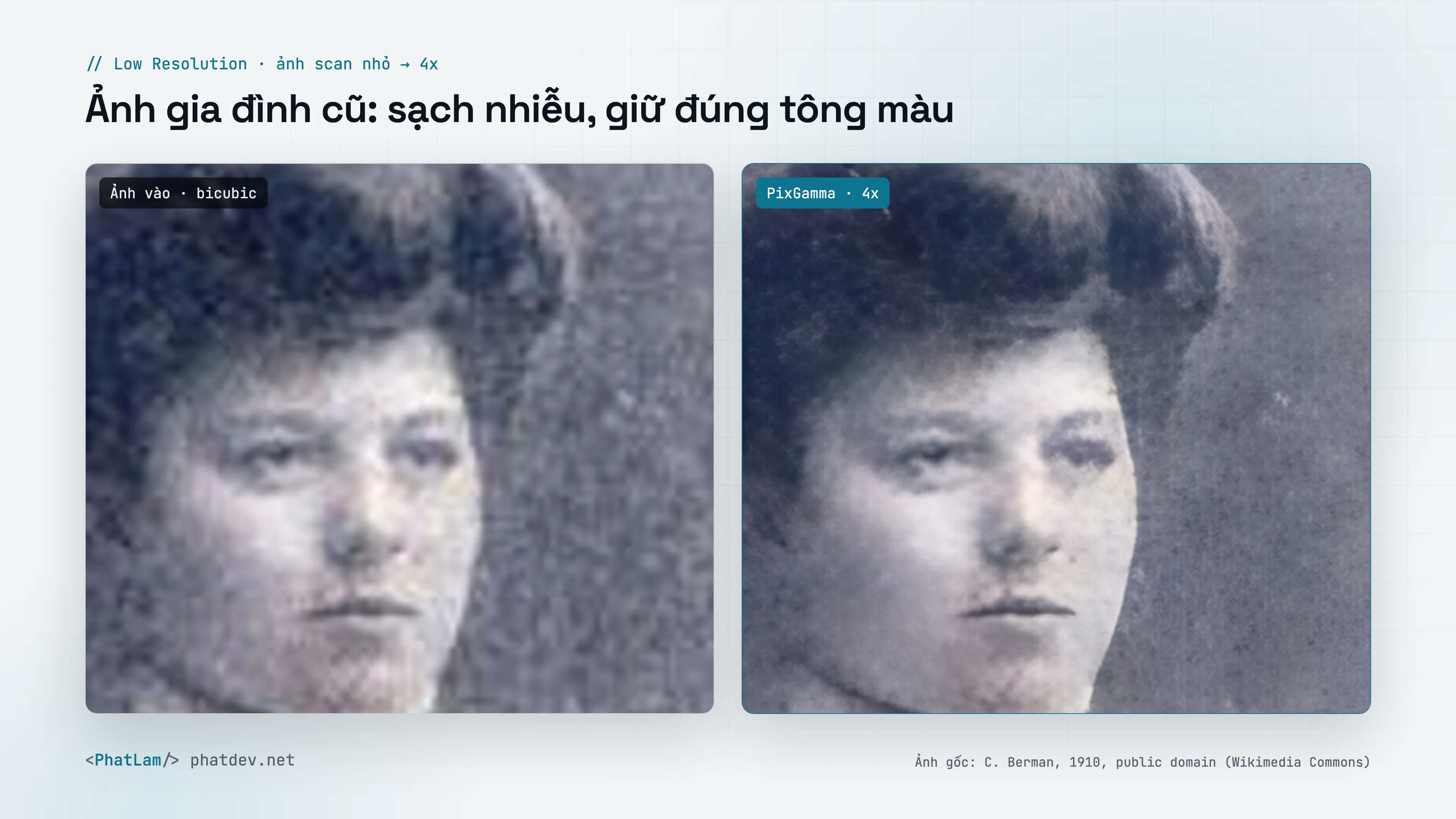
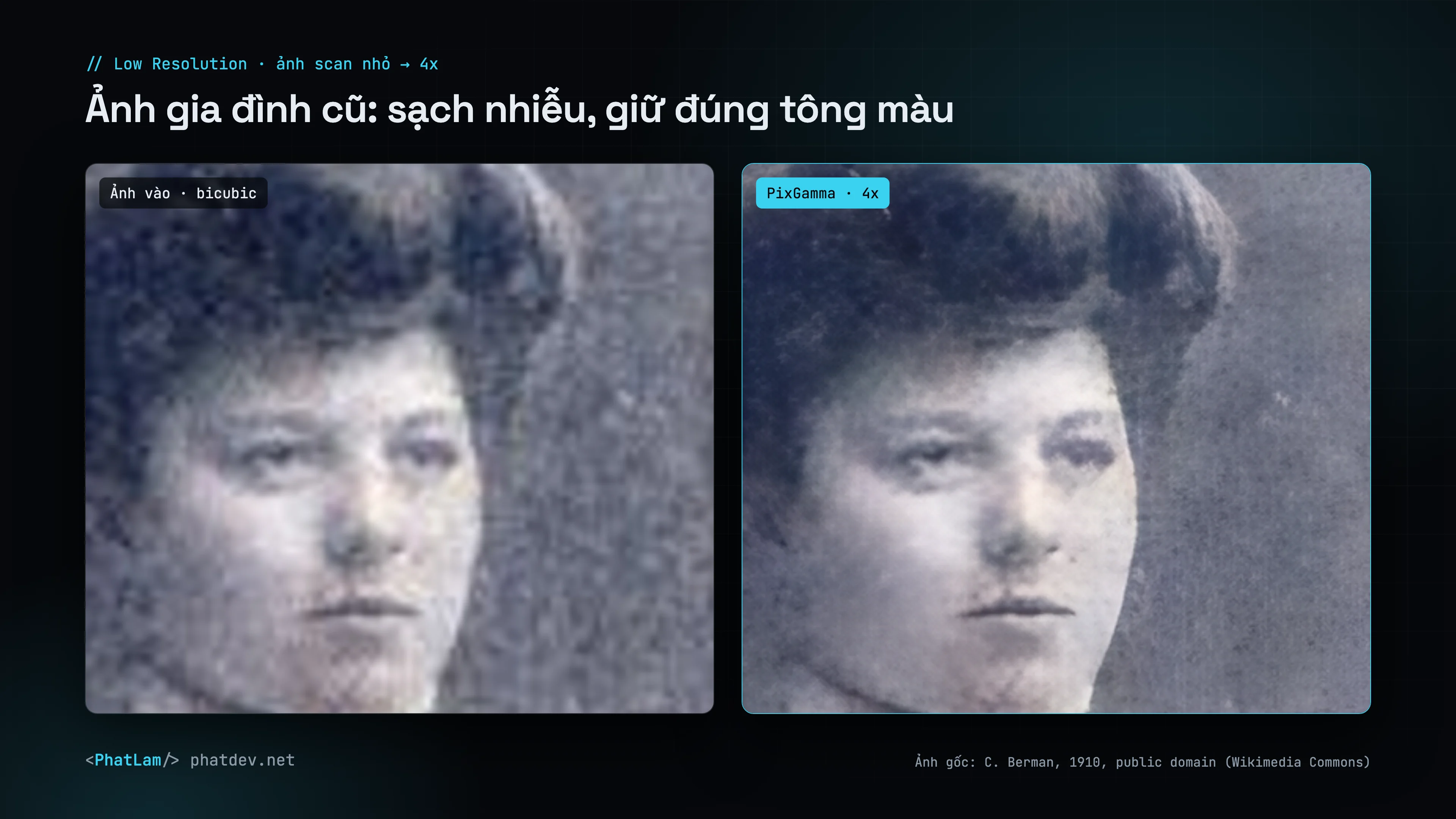
| Low Resolution | realesr-general | Very small, noisy images; continuous denoising |
| Recover | Diffusion (SD 1.5 + ControlNet Tile) | Badly blurred photos and portraits: redraws skin, hair and fur. See Recover |
Auto never sharpens on its own and adds no contrast or grain; those sliders are yours to turn on. White-background studio product shots are recognized as photos, not as artwork.
Old, grainy scans do best in Low Resolution; paintings and anime in Art & CGI when Auto does not pick it.
Size
- By factor 1x–16x, or by width or height (aspect kept).
- PixGamma picks the smallest native scale that reaches the target (2x or 4x) and stacks passes above 4x.
- Images are split into 256 px tiles with surrounding context, so no seams show.
Adjustments
| Slider | Effect |
|---|---|
| Denoise | Removes grain before upscaling |
| Sharpen | Adds crispness after upscaling |
| JPEG cleanup | Removes 8×8 blocks and ringing |
| Dehalo | Clips bright halos around high-contrast edges (default 80) |
| Local contrast | Adds depth and saturation |
| Texture | Adds fine natural grain to areas that are too smooth |
| Faces | Realistic (CodeFormer, with an identity slider) or Creative (GFPGAN). Black-and-white and sepia photos keep their tone, no blue eyes or pink skin painted in |
After upscaling PixGamma keeps the original color: low-frequency color and tone are pulled back to the source, so the model cannot shift the palette. Transparent images keep their alpha channel.
Output
PNG, JPEG, TIFF, HEIC or the source format. EXIF, GPS and IPTC are kept; DPI can be written; prefix, suffix and model name can be added to file names. The original is never overwritten.
Compute device
GPU by default. all (GPU + Neural Engine), ane and cpu are available. PixGamma Photo runs on the GPU only (the Neural Engine compiler cannot build the DAT2 architecture), and PixGamma switches to the GPU automatically when ane or all is chosen.
| Image (Mac Studio M2 Ultra) | Time |
|---|---|
| 800 × 600 to 4x, Standard | about 5–8 s |
| 800 × 600 to 2x | about 1 s |
| 3000 × 2000 to 2x | about 3 s |
| Recover, 1536 px output | about 35 s |