Enabling/disabling modules and General Settings
The Hưng Phát Code plugin works through modules - each feature (Filter, Google Shopping, Warranty...) is a module you can switch on or off independently. They all live under the Hưng Phát Code menu in the admin.
The Hưng Phát Code menu
After you activate the plugin, a Hưng Phát Code group appears in the left menu with these sub-pages: Dashboard, Product Filter, Google Shopping, Live Search, Widget Disable, Settings (general settings), Info. The warranty module appears in its own menu, Check Bảo hành (Warranty Check).
General Settings
Open Hưng Phát Code → Settings. This is where you configure the things shared by every module:
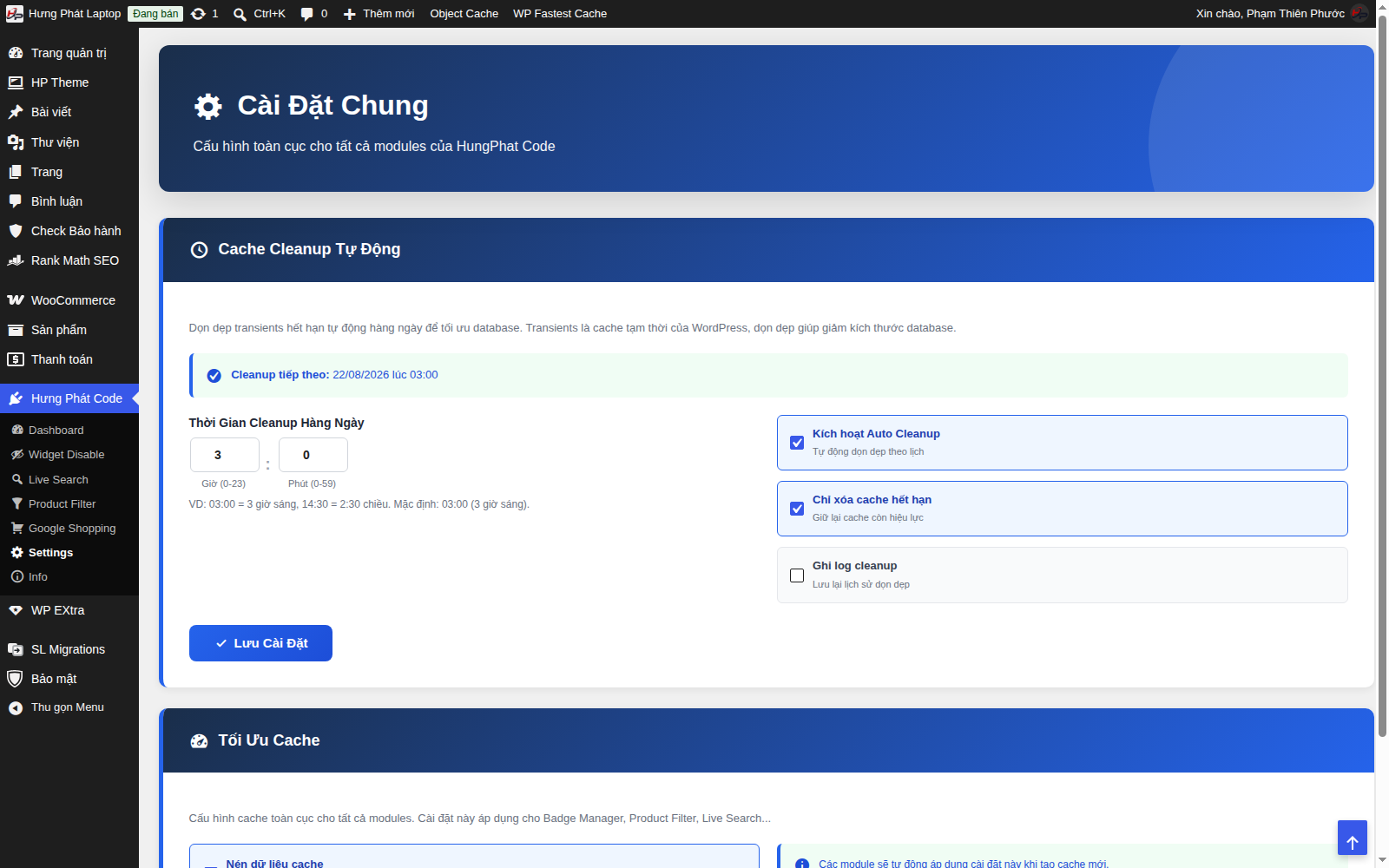
- Cache Cleanup Tự Động (Automatic Cache Cleanup) - cleans WordPress transients (temporary cache) every day to keep the database lean. Choose the run time (for example 03:00 = 3 AM), turn on Kích hoạt Auto Cleanup (Enable Auto Cleanup), and optionally Chỉ xoá cache hết hạn (Delete expired cache only), which keeps cache that is still valid.
- Tối Ưu Cache (Cache Optimization) - compresses the cache data shared by Badge, Product Filter, Live Search and others.
Click Lưu Cài Đặt (Save Settings) after making changes.
Each module also has its own configuration page - see the corresponding articles in this section.