Google Shopping Feed
This module creates an XML feed for Google Merchant Center (to run Google Shopping Ads). The feed is built automatically every day and served from a fixed URL with HTTP cache support.
Open Hưng Phát Code → Google Shopping.
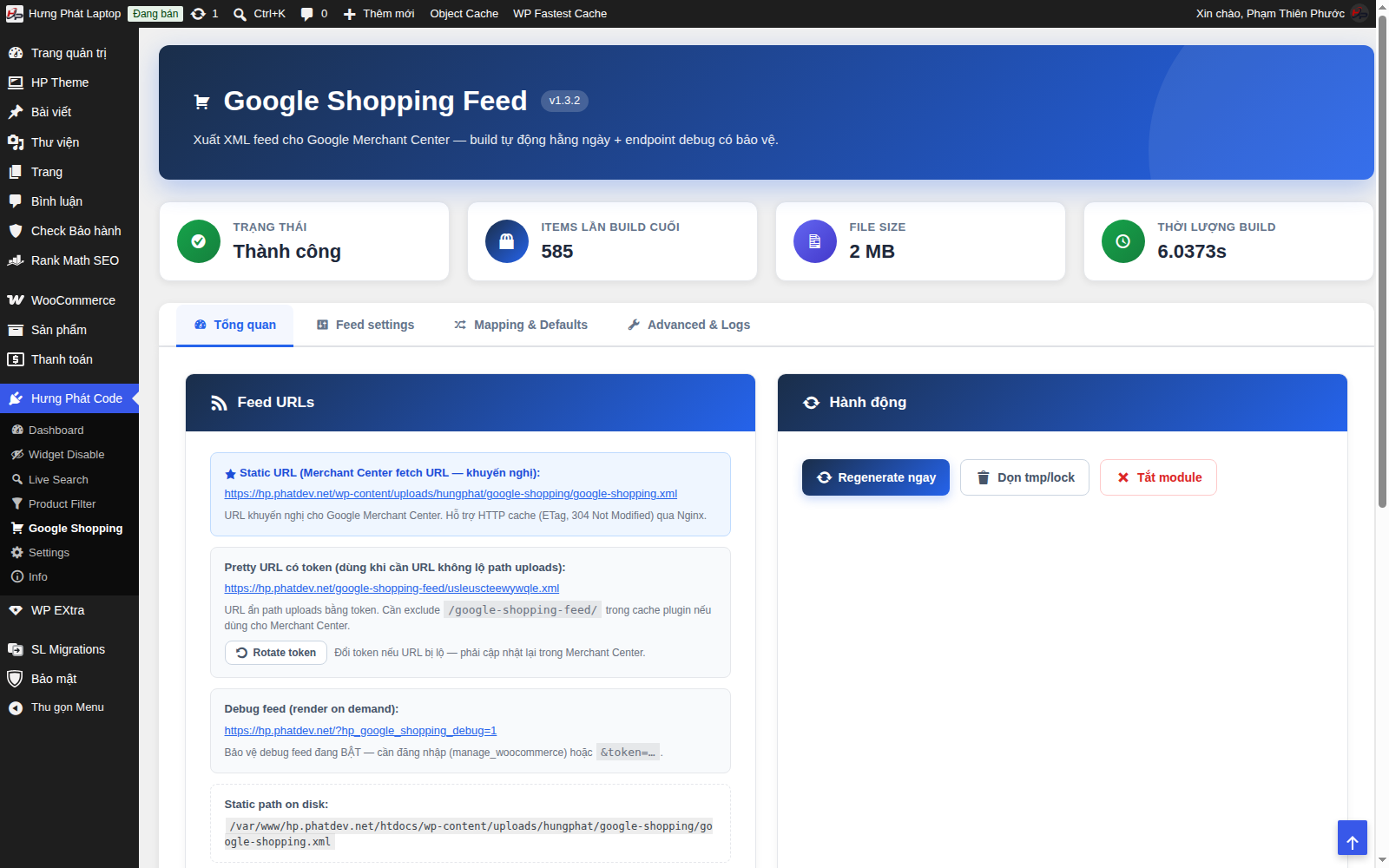
1. Get the feed URL to submit to Merchant Center
On the Tổng quan → Feed URLs (Overview → Feed URLs) tab, use the Static URL (recommended):
https://<tên-miền>/wp-content/uploads/hungphat/google-shopping/google-shopping.xml
Copy this URL into Google Merchant Center → Products → Feeds. The Pretty URL with token is for when you don't want to expose the uploads path (click Rotate token if the URL leaks).
2. Rebuild the feed now
In the Hành động (Actions) block → Regenerate ngay (Regenerate now) to rebuild the feed manually (no need to wait for the daily schedule). The statistics tiles show the status, item count, size and build duration.
3. Configure fields and conditions
- Feed settings tab - choose which fields to export (brand, color, condition, google_product_category...).
- Mapping & Defaults tab - set default values and how data is derived. For example,
<g:condition>(the laptop's condition) can default to new, or you can turn on automatic New / Used detection from the product/variation description. - Advanced & Logs tab - advanced options + the build log.
Quick check
Use Debug feed (a link under Feed URLs, login required) to see the feed rendered instantly without touching the cached file.
Cache note: if you use a page-caching plugin, exclude the feed path so Merchant Center always gets the latest version.