AIUsage has two faces: a large widget that stays on the desktop for a quick glance, and a dashboard window for the detail.
The large widget
- Shows the percentage used and a countdown to the next reset for Claude, ChatGPT and Antigravity.
- The countdown ticks every second once less than an hour remains; past the reset time it shows "resetting".
- A refresh button sits next to the fetch time: one press updates it.
- Light or dark follows the system, with each app's real logo.
- Updates itself every 5 minutes without exceeding WidgetKit's redraw budget: scheduled runs do not force a redraw, only the button does.
The widget runs in a sandbox, reads only the cache file and writes a single trigger file when the refresh button is pressed. Everything that needs the network or a sign-in is done by the background scripts.
The dashboard window
The dashboard is a 4-row by 3-column grid of equal cells: a Claude column, a Codex column and a Gemini column. Cells in the same row share one height.
- Grows to full height. Down to the Dock when there is one, full screen when there is not. Moving to another display refits it.
- Freely resizable. Both width and height; the app remembers the width. Dragging is smooth, without stutter.
- Scales evenly on a short display. Content shrinks uniformly instead of being clipped.
- Today or 7 days. The switch in the top-right corner changes the period of the analysis cards.
- Picks up new numbers by itself. The app watches the cache file, so a window left open still shows fresh data.
Grid charts
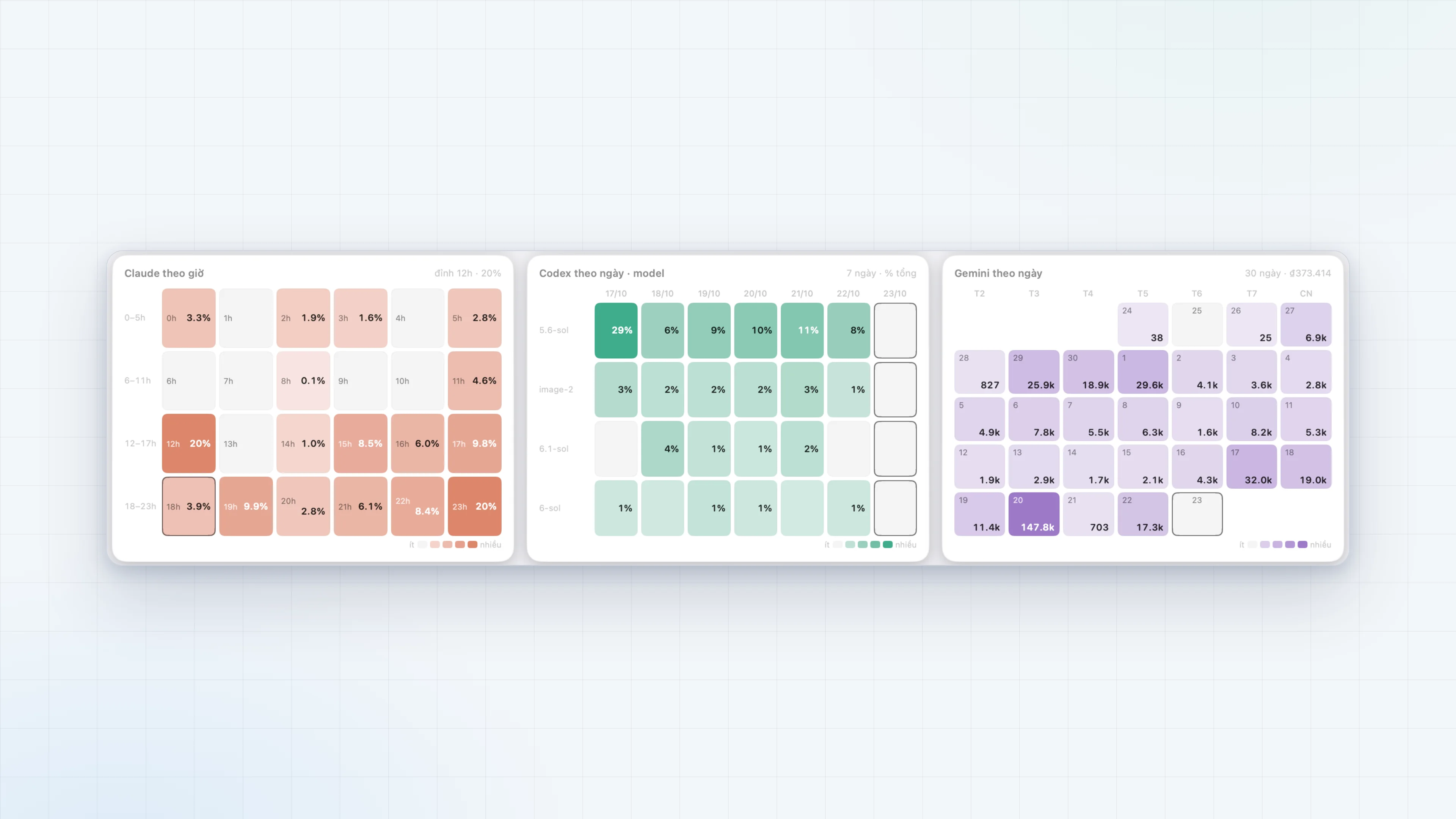
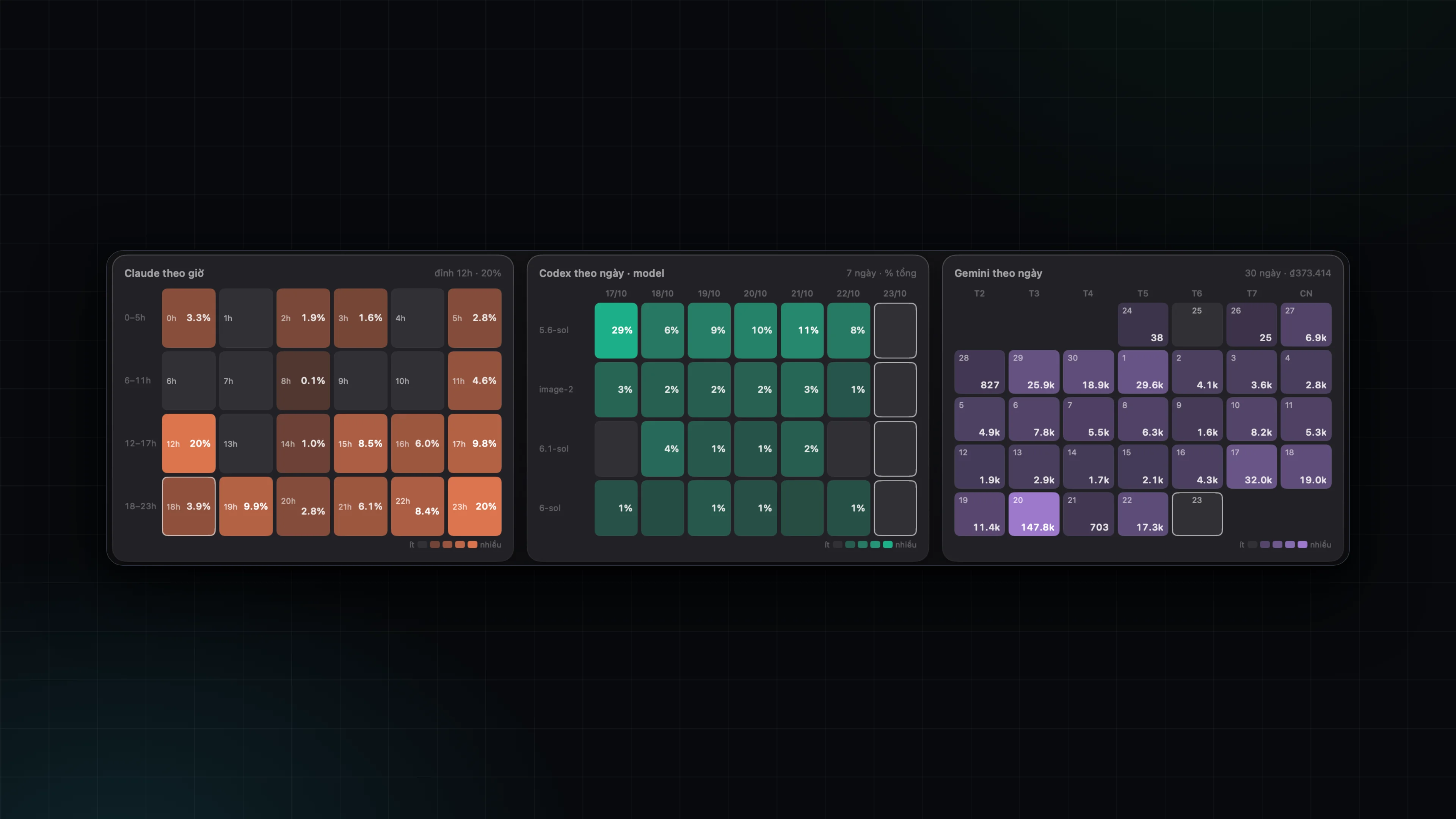
Charts use equal cells in place of vertical bars so every row and column lines up:
| Chart | Each cell is | Colour |
|---|---|---|
| Claude by hour | One hour of the day | Darker with the share of requests |
| Codex by day and model | One model on one day | Darker with the share of the total |
| Gemini by day | One day of the last 30 | Darker with the cost |
The outlined cell is the current moment.