Background
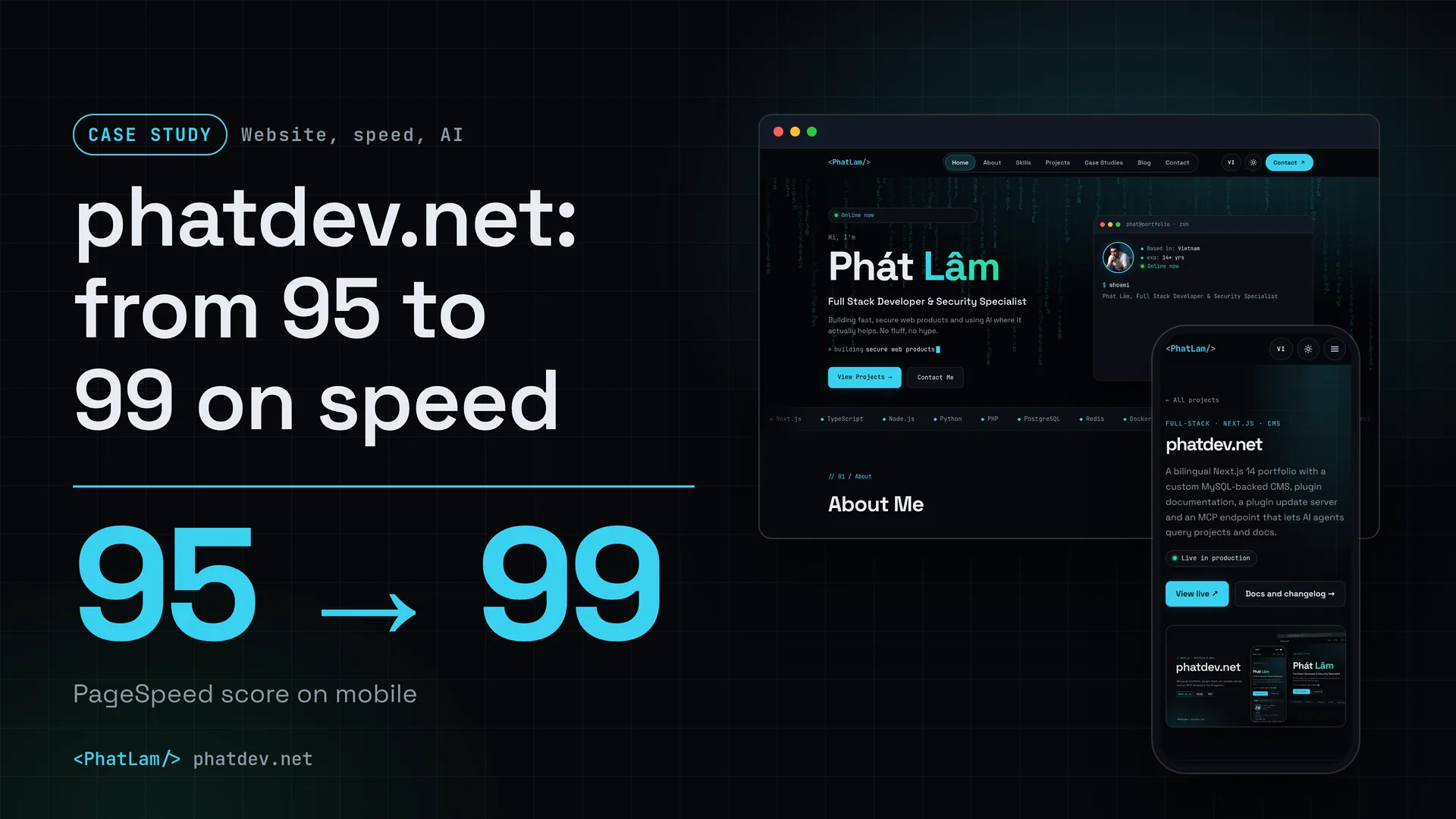
phatdev.net is where clients and employers look at what I build. It also does two heavier jobs than a normal portfolio: it runs the documentation for my WordPress plugins, and it is the server that ships updates for those plugins. The site has two languages, Vietnamese and English, and no CMS (a ready-made content system such as WordPress). Content lives in a MySQL database, and I wrote the admin area myself.
This is my own project, so no client is named here. I chose it because it has complete before and after numbers, and because every decision in it was mine to own.

The problem
On 18 Oct 2026 the home page scored 95 for mobile speed. Decent, but not what I wanted for the page that represents my work. The slowest part was the wait for the main part of the first screen to show: 2.8 seconds (this measure is called LCP).
Three other things had to be solved at the same time.
First, the two languages had to be right for Google, meaning every page knows where its translation lives. Second, more and more people ask an AI instead of searching, so the content had to be readable by machines without being pulled out of the page design. Third, one person runs the whole site, so it had to tell me who visits and what breaks, without paying for extra tools.
How it was done
1. Measure before changing anything
I ran Lighthouse (Google's speed-scoring tool) from the server itself, simulating a mid-range phone on a slow network, and measured each page at least three times. A single run tells you nothing, because results move depending on whether the machine is busy.
2. Cut what sits before the page appears
The measuring tool works out the display time by adding up everything that must download before that moment. So I went looking for the heaviest thing sitting before it:
- The avatar weighed about 150 KB but was shown small. Cut to the right size it is 3 to 7 KB.
- An animation library of about 37 KB existed only for a fade-in effect. I replaced it with CSS and a small script.
- Four screenshots on the SL Migrations plugin page were PNG files of nearly 1 MB each. As WebP (an image format lighter than PNG) they are about 90 KB.
- The home page HTML was 19 KB after gzip. When a connection is new, the server can send only about 14.6 KB in its first batch, and anything beyond that waits one more round trip across the network. I switched to brotli (tighter than gzip) in Nginx, the web server software in front of the app. The HTML dropped to 12.2 KB, so it fits in that first batch.
The detailed explanation for developers is in From 95 to 99 on mobile speed: what I did to a Next.js site. Here I keep only the core idea: find the heaviest thing before the LCP point, fix one thing, measure again.
3. One source of data, several ways to read it
Every content page reads from the same place in the database and comes out in four forms: an HTML page for people and Google, a Markdown version (plain text) for machines, an llms.txt index (a list of pages meant for AI), and an MCP endpoint so an AI can ask directly. Because they share one source, the AI version is never older than the human version.

Add .md to the end of any content page address and you get the Markdown version of that page. For a text-heavy page such as a blog post it is far lighter than HTML full of layout and effects.

The MCP endpoint (a standard way for AI to use a website's tools) has 12 tools, all read-only and rate-limited per minute. An AI agent can search projects, read a post or fetch contact details without any key or account. How to connect is in the MCP docs.
4. Running it all on my own
The admin area I wrote records page views on the server, separates real people from bots, groups errors and sends alerts to a dedicated mailbox. Admin accounts support two-step login out of the box. That is how one person can look after the whole system without paying for an outside monitoring service.
Results
These are lab numbers, run with Lighthouse on my own server. They differ from real user data and can be a few points off Google's PageSpeed tool.
Measured with Lighthouse 12 (Google's speed-scoring tool) run from my own server, simulating a phone and a slow network. Before: 18 Oct 2026 (/en scored 95 or 96, the lower is shown). After: 19 Oct 2026, /vi scored 99 in all 3 runs and 18 out of 18 runs on the main pages reached 99 or higher.
LCP is the time until the largest part of the first screen has appeared. After the changes, three runs gave 1.81 to 1.92 seconds; the chart uses the highest value.
Screenshots: PNG of 0.8 to 1.1 MB down to WebP of about 90 KB (0.9 MB used). The avatar after optimisation is 3 to 7 KB (7 used). HTML: 19 KB with gzip, 12.2 KB with brotli (two ways to compress a page before sending it, brotli is smaller). The 436 KB was measured on the old build's test port (not behind Nginx) and 194 KB on the live build, so read it as an order of magnitude.
The mobile score went from 95 to 99. On the main pages, 18 out of 18 runs reached 99 or higher, desktop scored 100, and the other three categories, Accessibility, Best Practices and SEO, all scored 100. Layout shift (CLS) stayed at 0.
One thing I could not fix. Total blocking time (TBT) barely moved, because the start-up of React and Next.js (the two libraries that build the page) alone takes about 115 simulated milliseconds, and the site's own code cannot reduce it further.


Lessons
Measure three times before you believe a number. One run that says 98 or 99 is luck of the machine.
The part most worth cutting is whatever sits before the LCP point. Shaving bytes from things that load afterwards usually changes nothing.
Making content readable for AI costs little once the site has one clean source of data. The hard part is keeping the machine version and the human version from drifting apart, so I generate both from the same place.
And compression needs an owner. I turned it off inside the app so that Nginx would do it instead. If Nginx is not set up to compress, pages go out with no compression at all, so after a change like this, check the real size of the page.
Need something similar?
If your site is slow on phones, or you want your content readable by AI, send me a few lines about the page. I will measure first, then tell you plainly what is worth fixing and what is not.