Photos never leave the Mac
Every model runs through Core ML on the Apple Silicon GPU: no account, no server, nothing uploaded.
macOS app for AI image upscaling and restoration that runs entirely on the Apple Silicon GPU: product shots, portraits, old family photos, wildlife, landscapes, illustration and screenshots. Text stays correct, Vietnamese included, with diffusion-based Recover and a CLI and local API for developers.
Version 0.2.1, free for non-commercial use; the new interface and Photo v2 are on GitHub


Every model runs through Core ML on the Apple Silicon GPU: no account, no server, nothing uploaded.
Apple Vision finds text, Vietnamese included; text regions are measured from the pixels and rebuilt with a faithful model for straight strokes.
PixGamma Photo v2 is Photo v1 trained further with a light GAN for crisper fur, hair and fabric; text regions keep the GAN-free Photo v1 so no strokes are invented. Any version that loses on the benchmark or real photos is dropped.
SD 1.5 + ControlNet Tile on Core ML. Apple Vision describes the photo on the Mac (e.g. "parrot, detailed feathers") for the prompt; animals, hair and skin get Resemblance 85; photos with text, maps or products get a safety lock that keeps shapes.
The photo fills the window, a small dock picks mode and scale, a filmstrip sits below and the tuning column collapses. Fit shows the whole photo with the preview area outlined; 100% and 200% compare split or side by side. Export one photo or all of them.
DMG installer, auto-update from GitHub with SHA-256 checks and rollback.
Product shots, portraits, old family photos, wildlife, landscapes, architecture, illustration and screenshots; Auto picks the model for each image.
The pixgamma command handles whole folders with JSON reports; an HTTP API on the Mac only plugs into scripts, websites or apps.


Click an image to enlarge, use the arrow keys to browse.
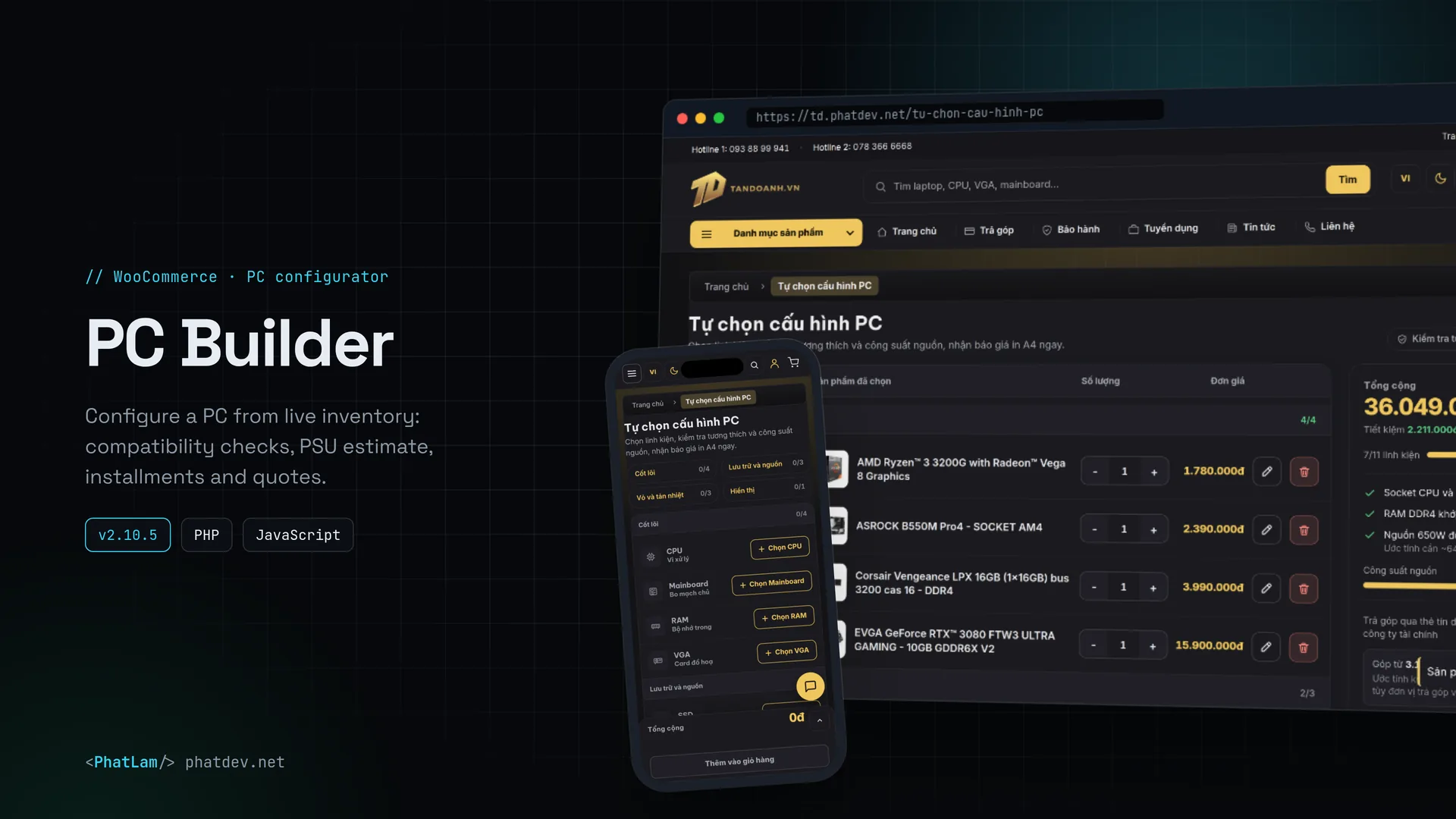
Images that need enlarging are everywhere: product shots for an online store, old photos from the family album, wildlife and landscapes headed for a large print, illustrations, screenshots for documentation. They are often small, soft or compressed several times over. Popular AI upscalers tend to fail in familiar ways: text gets redrawn as other characters, skin, fur and fabric get covered in invented texture, colors drift, and the photos have to be uploaded to someone else's server.
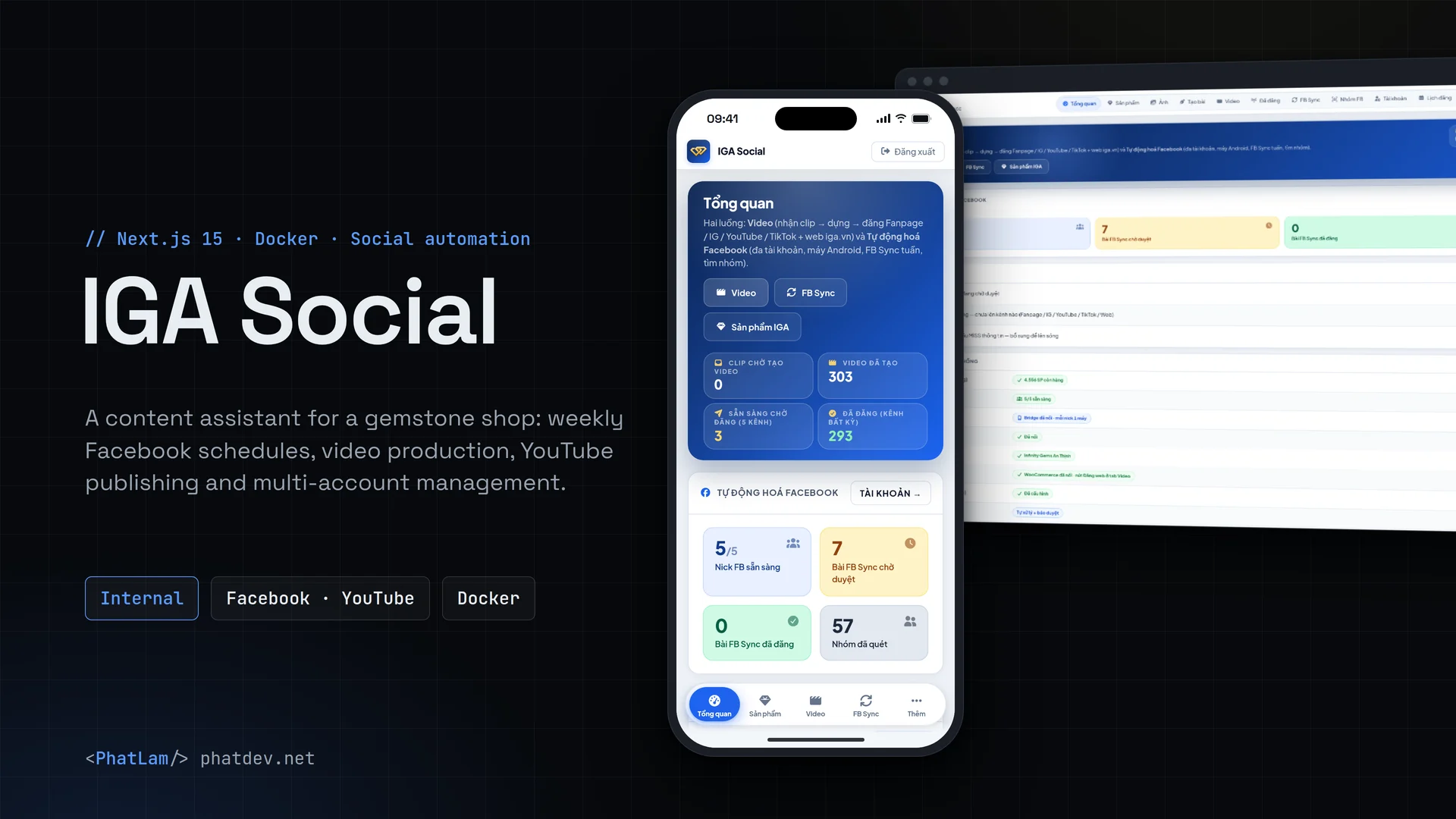
PixGamma is a macOS app written in Swift that runs entirely through Core ML on the Apple Silicon GPU: photos never leave the Mac. A Light and Dark interface lets the photo fill the window: a small dock for modes, a filmstrip below, before/after at real pixels at 100% and 200% (split or side by side), and export for one photo or all. It has an Auto mode that analyses each image to pick the model and strength, a pixgamma command for batch work and a local HTTP API for scripts, websites and other apps.
| Kind of image | Suggested mode | What PixGamma does |
|---|---|---|
| Product and e-commerce photos | Standard | Labels, keycaps and packaging text stay correct; aluminium, fabric and leather get no invented texture |
| Portraits and group shots | Standard + Realistic faces | Clearer eyes, hair and skin, original features kept |
| Old family photos, scans | Low Resolution | Grain and compression noise cleaned up, original tones kept |
| Wildlife and nature | Standard | Fur, whiskers and feathers come back as strands instead of smears |
| Landscapes, architecture, print | Standard at 2x | Straight lines and crisp detail for large prints |
| Illustration, anime, graphics | Art & CGI | Clean lines, flat color areas, no added grain |
| Screenshots and UI | Auto at 2x | Clearer text, Vietnamese diacritics kept |
| Badly blurred photos | Recover | Skin, hair and fur regenerated with diffusion; it reads the scene to pick the prompt and how closely to follow the photo |
| Developers and automation | CLI, local API | Whole folders, JSON reports, HTTP calls on the Mac |
PixGamma Photo v2 is the default photo model: Photo v1 trained further with a light GAN for crisper fur, hair and fabric grain (DISTS on sharp photos 0.170 vs 0.183 for v1). Text regions still run on the GAN-free Photo v1, so the GAN never draws letter strokes.
PixGamma Photo v1 is a DAT2 model fine-tuned for 15,000 iterations on the Mac itself, starting from the strongest of 10 public models we benchmarked. Training data is CC0 and public domain, low-resolution inputs follow a web-like downscale + double JPEG chain, and there is no GAN so it does not invent texture. On 40 photos never used for training: PSNR 30.5 dB (base 29.0), DISTS 0.165 (0.173), almost no color drift.
Apple Vision finds text on the source, a 2x enlargement and the upscaled result. Each text region is measured from the pixels and rebuilt with a faithful model. Text too small or too noisy to rebuild correctly keeps the plain upscale instead of being redrawn as other letters. On the Vietnamese and English banner benchmark: 91.1% OCR accuracy.
Realistic Vision 5.1 + ControlNet Tile on Core ML, seamless tiling, a hand-written DPM++ 2M SDE sampler and a dedicated eye pass. Apple Vision describes the photo on the Mac (for example "parrot, detailed feathers") for the prompt; animals, plants and portraits get Resemblance 85 so fur and hair follow the photo. Photos with text, maps or products get a safety lock that caps creativity and keeps shapes.
DMG installer and auto-update from GitHub Releases with SHA-256, bundle id and version checks and a rollback-safe app swap. A model only ships when it beats the current one on both the benchmark and real photos.
PixGamma is free for non-commercial use and runs entirely on the Mac. Sample images on this page come from Wikimedia Commons (CC0 and public domain).